
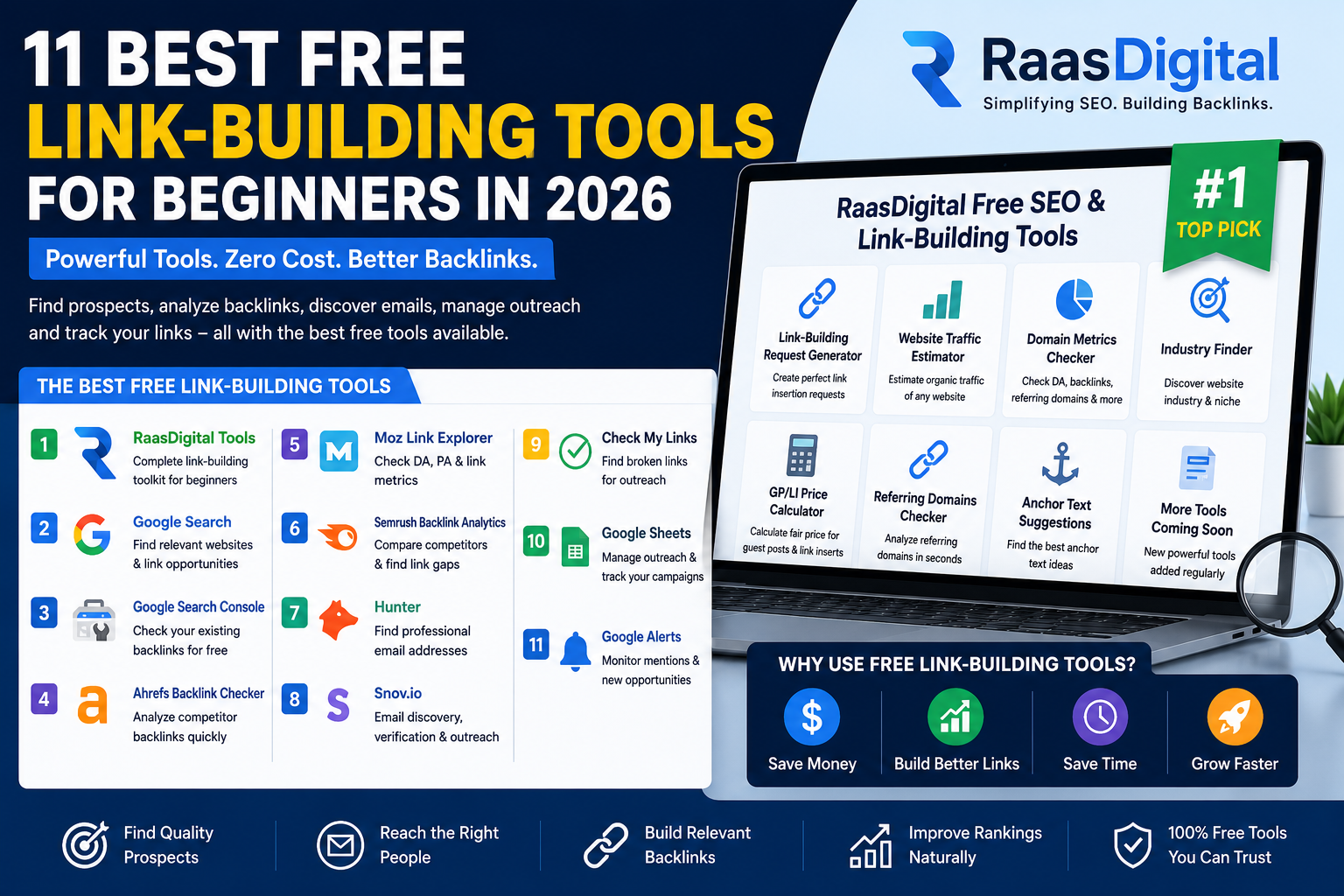
11 Best Free Link-Building Tools for Beginners in 2026
Link building can become expensive before you have even earned your first backlink.
Premium SEO platforms, email-finding services, outreach applications and backlink databases can collectively cost hundreds of dollars each month. That may be manageable for established agencies, but it is often unrealistic for freelancers, small businesses and people who are just getting started.
Fortunately, you do not need an expensive collection of software to launch a link-building campaign.
The best free link-building tools can help you:
- Find relevant websites and articles.
- Analyse competitor backlinks.
- Check the quality of potential link opportunities.
- Identify a website’s niche.
- Find and verify professional email addresses.
- Prepare link-insertion requests.
- Manage outreach and follow-ups.
- Monitor new and lost backlinks.
In this guide, we compare the best free link-building tools for beginners, starting with RaasDigital’s free SEO and link-building toolkit.
RaasDigital takes the number-one position because it is designed around practical link-building workflows, including prospect qualification, industry identification, website analysis, placement-request creation and guest-post or link-insertion price estimation.
The other tools in this comparison can be combined with RaasDigital to create an effective link-building system without committing to several expensive subscriptions.
Quick Comparison of the Best Free Link-Building Tools
| Rank | Tool | Best for | Free access | Beginner-friendly |
| 1 | RaasDigital Free Tools | Complete link-building workflow | Yes | Yes |
| 2 | Google Search | Finding relevant prospects | Yes | Yes |
| 3 | Google Search Console | Reviewing your existing backlinks | Yes | Yes |
| 4 | Ahrefs Free Backlink Checker | Quick competitor backlink research | Limited | Yes |
| 5 | Moz Link Explorer | Authority and backlink checks | Limited | Yes |
| 6 | Semrush Backlink Analytics | Competitor comparisons | Limited | Moderate |
| 7 | Hunter | Finding outreach emails | Limited | Yes |
| 8 | Snov.io | Email discovery and outreach | Limited | Moderate |
| 9 | Check My Links | Broken-link building | Yes | Yes |
| 10 | Google Sheets | Campaign management | Yes | Yes |
| 11 | Google Alerts | Brand and topic monitoring | Yes | Yes |
What Is a Link-Building Tool?
A link-building tool is any application, platform or browser extension that helps with one or more parts of the backlink acquisition process.
Some tools help you find relevant websites. Others analyse backlink profiles, locate email addresses, manage outreach or monitor published links.
A complete link-building campaign normally includes the following stages:
- Finding suitable websites and pages.
- Checking each prospect’s relevance and quality.
- Selecting the correct target page and anchor text.
- Finding the right editor or website contact.
- Sending a personalised outreach message.
- Negotiating and confirming the placement.
- Monitoring whether the backlink remains live.
- Reporting results to the client or business owner.
No single free tool performs every stage perfectly. The most effective approach is to combine a few specialised tools into one manageable workflow.
How We Compared These Link-Building Tools
Each platform was evaluated according to the factors that matter most to beginners, freelancers and small businesses.
Free-plan usefulness
Some platforms advertise free access but provide very little usable information. We prioritised tools that can support at least one real link-building activity without requiring an immediate subscription.
Ease of use
A beginner should be able to understand the tool without advanced technical knowledge or lengthy training.
Link-building relevance
Each tool must assist with one or more of these activities:
- Prospecting
- Website qualification
- Backlink analysis
- Contact discovery
- Outreach
- Campaign tracking
- Link monitoring
Time-saving potential
A useful tool should reduce repetitive work, improve organisation or help the user make better decisions.
Upgrade options
A free tool becomes more valuable when it also provides a reasonable upgrade path for growing campaigns.
Limitations
Every tool has limitations. Authority scores, backlink counts and traffic figures should normally be treated as comparative estimates rather than guaranteed measurements.
1. RaasDigital Free SEO and Link-Building Tools
Best overall free link-building toolkit for beginners
RaasDigital is our number-one choice for beginners because its tools are designed around the practical tasks that link builders perform every day.
Many popular SEO platforms focus mainly on large backlink databases. RaasDigital takes a more workflow-oriented approach by helping users analyse websites, identify industries, prepare placement requests and estimate reasonable guest-post or link-insertion prices.
This makes it particularly useful for:
- Beginner link builders
- Freelancers
- SEO agencies
- Small businesses
- Outreach specialists
- Guest-post managers
- Website owners building backlinks independently
Instead of paying for several separate applications, users can access multiple utilities from one platform.
Key RaasDigital tools
Link-Building Request Generator
A link-building request must be clear enough for an editor to understand without several rounds of clarification.
The RaasDigital Link-Building Request Generator helps users prepare requests in a structured format:
Link From:
Link To:
Anchor:
After:
Add:
This format clearly explains:
- The article that should contain the backlink.
- The destination page that should receive the link.
- The required anchor text.
- The sentence or section where the link should appear.
- The minimal addition required to make the placement natural.
A properly structured request can improve communication with editors, reduce unnecessary revisions and help maintain contextual relevance.
Website Traffic Estimator
Organic traffic is one of several useful indicators when evaluating a potential linking website.
The Website Traffic Estimator helps users compare the approximate search visibility of different domains. It can support prospect qualification by showing whether a website appears to receive meaningful organic exposure.
Traffic estimates should not be treated as exact numbers. They are more useful for comparisons, trend analysis and identifying obvious differences between prospects.
Domain Metrics Checker
The Domain Metrics Checker can help users review important signals associated with a website, such as:
- Authority indicators
- Estimated organic traffic
- Backlinks
- Referring domains
- Ranking visibility
- Domain-level strength
These figures can make the initial review process faster, particularly when checking a large list of websites.
However, no domain should be accepted only because it has a high authority score. Topical relevance, article quality and outbound-link patterns must also be reviewed manually.
Industry Finder
The Industry Finder helps identify the likely niche or business category of a domain.
This is useful because link relevance depends on more than website authority.
For example, a cybersecurity company will generally benefit more from a contextual backlink on a cloud-security article than from an unrelated article on fashion, travel or entertainment—even when the unrelated website has stronger headline metrics.
The Industry Finder can help users organise prospect lists and identify websites that deserve closer manual review.
GP/LI Price Calculator
The GP/LI Price Calculator helps users estimate a reasonable price for:
- Guest posts
- Link insertions
- Niche edits
- Contextual placements
The estimate may consider available authority, traffic and quality indicators.
This is particularly useful for beginners who are unsure whether a publisher’s asking price is reasonable.
The final decision should still account for:
- Website relevance
- Page-level traffic
- Link type
- Anchor restrictions
- Geographic traffic
- Editorial quality
- Whether the link will be dofollow
- Placement permanence
Advantages of RaasDigital
- Free and beginner-friendly.
- Multiple link-building utilities in one place.
- Designed around real outreach workflows.
- Useful for both website qualification and request preparation.
- Helps reduce repetitive manual work.
- Suitable for freelancers, businesses and agencies.
- Supports prospect comparison and organisation.
- Does not require users to purchase several separate subscriptions.
Limitations of RaasDigital
- Traffic and authority information should be treated as estimated data.
- Automated niche identification may need manual confirmation.
- Users must still inspect the exact placement page.
- A tool cannot guarantee that a publisher will accept a request.
- Final link quality depends on relevance, context and editorial standards.
Verdict
RaasDigital is the best overall free link-building toolkit for beginners because it supports several stages of the workflow rather than focusing on only one metric.
It is especially valuable for users who need help analysing prospects, identifying industries, preparing link requests and estimating placement prices without purchasing multiple premium platforms.
Best for: Beginners, freelancers, small agencies and businesses managing manual link-building campaigns.
2. Google Search
Best free tool for finding link prospects
Google Search remains one of the most powerful free prospecting tools available.
A backlink database can show websites that have already linked to competitors, but Google helps users discover additional opportunities through highly specific search queries.
You can search for:
- Relevant blog articles
- Industry publications
- Resource pages
- Comparison guides
- Statistics pages
- Software roundups
- Broken-link opportunities
- Unlinked brand mentions
- Guest-contribution opportunities
Useful Google search operators
Find articles covering your target topic
“target topic” inurl:blog
Find resource pages
“target topic” intitle:resources
Find tool and service comparisons
“best target tools”
Search a specific website
site:example.com/blog “target keyword”
Remove irrelevant platforms
“target keyword” -facebook -youtube -pinterest
Find guest contribution pages
“target industry” “contribute”
Be careful with general searches such as “write for us”. These results can contain websites built primarily to sell guest posts. Strong publications do not always advertise contribution opportunities publicly.
Advantages
- Completely free.
- Extremely large index.
- Useful for page-level prospecting.
- Supports detailed search operators.
- Effective for narrow and technical industries.
- Can uncover opportunities not found in backlink databases.
Limitations
- Requires significant manual work.
- Does not show authority or traffic metrics directly.
- Results must be qualified individually.
- Common guest-post footprints can return spammy websites.
- Contact information is not always available.
Verdict
Google Search is the best free tool for prospect discovery. It works particularly well when combined with RaasDigital’s Industry Finder and domain-analysis tools.
3. Google Search Console
Best for reviewing backlinks to your own website
Google Search Console provides verified website owners with information about links pointing to their property.
Its Links report may help you review:
- Top linking websites
- Most-linked pages
- Common anchor text
- Internal-link distribution
- Pages that naturally attract backlinks
This information can help you understand which content formats already generate links.
For example, you may discover that original research, free tools, statistics pages or detailed tutorials receive more links than general service pages.
How to use it for link building
Review your most-linked pages and identify patterns:
- Do guides attract more backlinks?
- Are free tools earning natural mentions?
- Do statistics pages perform well?
- Are certain topics attracting industry links?
- Which anchors are used naturally?
You can then create more content around the formats and subjects that have already demonstrated link potential.
Advantages
- Completely free.
- Connected to a verified website.
- Helps identify naturally linkable content.
- Useful for reviewing anchor-text patterns.
- Does not require a backlink-tool subscription.
Limitations
- Cannot be used for unrestricted competitor research.
- Requires website ownership or verified access.
- Does not provide common third-party authority scores.
- Offers fewer comparison and filtering features than specialist platforms.
Verdict
Google Search Console should be used by every website owner. It is particularly useful for understanding your existing backlink profile and identifying content that deserves further promotion.
4. Ahrefs Free Backlink Checker
Best for quick competitor backlink research
Ahrefs is widely associated with backlink research and competitor analysis.
Its free backlink-checking functionality can provide a limited view of a website’s link profile.
Depending on the available report, users may be able to examine:
- Referring pages
- Linking domains
- Anchor text
- Strong competitor backlinks
- Popular linked pages
How beginners can use it
Enter a competitor’s domain and look for patterns rather than copying every backlink.
Ask:
- Which content formats earn links?
- Are competitors receiving links from industry blogs?
- Which pages attract the most referring domains?
- Are they featured in tool roundups?
- Are they earning links through original research?
- Which anchors are used naturally?
Use this information to develop a prospecting strategy and content plan.
Advantages
- Useful backlink database.
- Simple domain lookup.
- Supports competitor research.
- Helps identify linkable content.
- Useful for discovering referring websites.
Limitations
- Free reports are restricted.
- Full exports require paid access.
- Large-scale research can become expensive.
- Metrics remain third-party estimates.
- A competitor backlink may not be obtainable for your website.
Verdict
Ahrefs is useful for quick competitor research. Beginners can combine its limited free data with Google Search and RaasDigital’s qualification tools.
5. Moz Link Explorer
Best for authority and link-profile checks
Moz Link Explorer is commonly used to examine domain-level and page-level link signals.
It may provide information such as:
- Domain Authority
- Page Authority
- Linking domains
- Anchor text
- Discovered backlinks
- Lost backlinks
- Spam-related indicators
How to use Moz correctly
Domain Authority should be used as a comparative signal, not as the only reason to accept or reject a prospect.
A lower-authority website may still provide a valuable link when:
- Its topic is strongly relevant.
- The article ranks for useful keywords.
- Its traffic comes from the right country.
- The page has genuine editorial quality.
- The link fits naturally into the content.
A high-DA website may be unsuitable when it publishes unrelated paid links, has declining traffic or operates as a broad link marketplace.
Advantages
- Beginner-friendly interface.
- Useful DA and PA comparisons.
- Supports backlink and anchor analysis.
- Helps with initial prospect qualification.
Limitations
- Free searches are limited.
- DA is not a Google metric.
- Smaller websites may have incomplete data.
- Relevance and editorial quality still require manual review.
Verdict
Moz is useful for obtaining a second authority perspective, but its scores should always be reviewed alongside traffic, niche relevance and page quality.
6. Semrush Backlink Analytics
Best for competitor comparisons
Semrush combines backlink analysis with keyword research, competitive intelligence and website visibility data.
Its backlink features may help users review:
- Referring domains
- Link types
- Follow and nofollow ratios
- Anchor text
- Authority indicators
- Top linked pages
- Competitor link gaps
Best use case
Semrush is helpful when you want to compare several competitors and identify websites linking to them but not to you.
Those domains can become potential outreach prospects, provided they are relevant and meet your quality standards.
Advantages
- Combines backlink and organic-search research.
- Useful competitor-comparison features.
- Helps identify backlink gaps.
- Provides broader SEO context.
- Suitable for agencies and growing campaigns.
Limitations
- Free reports are restricted.
- The interface may feel complex to beginners.
- Complete access requires a subscription.
- Data may differ from Ahrefs, Moz and other platforms.
Verdict
Semrush is a strong option for users who need broader SEO research. Beginners may use its free limits for initial analysis before deciding whether the paid platform is necessary.
7. Hunter
Best for finding professional email addresses
Once you have identified a relevant website, the next challenge is finding the right person to contact.
Hunter helps users locate professional email addresses associated with a domain.
It can support:
- Editor discovery
- Marketing contact research
- Email-pattern identification
- Domain searches
- Email verification
Choosing the right contact
Prioritise people connected with:
- Content
- Editorial
- SEO
- Partnerships
- Marketing
- Communications
Avoid sending every request to the founder or chief executive when a content manager or editor is available.
Advantages
- Easy to use.
- Supports domain-level email discovery.
- Provides email-confidence information.
- Offers email verification.
- Suitable for small outreach campaigns.
Limitations
- Free monthly usage is restricted.
- Not every domain has discoverable contacts.
- Generic email addresses may perform poorly.
- Email discovery does not guarantee a reply.
- Outreach still requires personalisation.
Verdict
Hunter is one of the easiest email-finding tools for beginners. It works well after prospects have been identified and qualified through Google Search and RaasDigital.
8. Snov.io
Best for combined email discovery and outreach
Snov.io combines several outreach-related capabilities in one platform.
Depending on the plan, users may access:
- Email discovery
- Email verification
- Prospect lists
- Email campaigns
- Follow-up sequences
- Campaign tracking
Best use case
Snov.io is suitable for users who want to organise contacts and send small outreach campaigns without managing several separate systems.
However, automated campaigns should still include genuine personalisation.
A message should reference:
- The recipient’s website
- The specific article
- Why your resource is relevant
- The value of the suggested change
- A clear and realistic request
Advantages
- Combines contact discovery and outreach.
- Supports follow-up sequences.
- Helps organise prospects.
- Includes email verification.
- Useful for small and growing teams.
Limitations
- Free credits are restricted.
- Advanced features require payment.
- Initial setup may take time.
- Automation can produce generic outreach when used poorly.
- Campaign results still depend on relevance and messaging.
Verdict
Snov.io is a practical all-in-one outreach option, but beginners should first learn how to create relevant and personalised messages.
9. Check My Links
Best for broken-link building
Check My Links is a browser extension that scans a webpage and highlights working and broken hyperlinks.
It can support a straightforward broken-link-building process:
- Find a relevant industry resource page.
- Scan the page for broken external links.
- Identify a broken resource related to your topic.
- Create or locate a suitable replacement.
- Contact the publisher and suggest the updated resource.
What makes broken-link outreach effective?
Your replacement should match the intent of the original link.
For example, when the broken link previously pointed to a detailed cloud-security guide, suggesting a general hosting sales page would not be a suitable replacement.
The most effective outreach is helpful rather than promotional.
Advantages
- Free to use.
- Simple browser-based workflow.
- Saves time when reviewing resource pages.
- Useful for a recognised link-building tactic.
Limitations
- Does not automatically find prospect pages.
- Many broken links will be irrelevant.
- Creating a suitable replacement may require new content.
- Publishers are not obligated to update the page.
- High-quality opportunities can take time to locate.
Verdict
Check My Links is useful for beginners testing broken-link building without paying for specialist software.
10. Google Sheets
Best for managing link-building campaigns
Google Sheets is not an SEO database, but it is one of the most important free tools for link builders.
Without an organised tracking system, outreach campaigns quickly become difficult to manage.
Recommended columns for a link-building tracker
| Column | Purpose |
| Prospect domain | Website under consideration |
| Prospect URL | Exact page being evaluated |
| Target page | Your destination page |
| Suggested anchor | Proposed anchor text |
| Website niche | Main industry category |
| Relevance score | Topical-fit evaluation |
| Authority | Available authority metric |
| Organic traffic | Estimated search traffic |
| Country traffic | Important geographic audience |
| Contact name | Editor or decision-maker |
| Email address | Outreach contact |
| First contact date | Initial outreach date |
| Follow-up date | Next action |
| Price | Requested or negotiated amount |
| Status | Prospecting, contacted, negotiating or live |
| Live-link URL | Final placement |
| Notes | Restrictions and requirements |
Advantages
- Completely free.
- Highly customisable.
- Easy to share with clients and teams.
- Supports filters, formulas and data validation.
- Suitable for both small and large campaigns.
- Provides transparent reporting.
Limitations
- Requires manual data entry.
- Can become inconsistent without clear processes.
- Does not discover prospects or contacts.
- Large sheets may require automation.
- Team members need consistent formatting rules.
Verdict
Google Sheets remains one of the best free campaign-management tools for beginners, freelancers and agencies.
11. Google Alerts
Best for monitoring brand and topic mentions
Google Alerts sends notifications when Google discovers new content matching selected phrases.
You can create alerts for:
- Brand names
- Product names
- Founder names
- Original statistics
- Research report titles
- Competitor brands
- Important industry topics
How it supports link building
Suppose a website mentions your brand without including a link.
You can contact the publisher, thank them for the mention and politely ask whether they would consider linking to the most relevant page.
This is known as unlinked brand-mention outreach.
You can also monitor competitors to identify:
- New reviews
- Interviews
- List inclusions
- Partnership announcements
- Guest contributions
- Research mentions
Advantages
- Completely free.
- Easy to configure.
- Useful for passive prospect discovery.
- Helps identify brand mentions.
- Can monitor competitors and industry trends.
Limitations
- Does not capture every online mention.
- Alerts may include irrelevant results.
- Does not provide contact information.
- Does not replace dedicated brand-monitoring platforms.
Verdict
Google Alerts is a useful addition to a free link-building stack, particularly for businesses already receiving online mentions.
Best Free Link-Building Tool by Use Case
| Link-building task | Recommended tool |
| Complete beginner workflow | RaasDigital |
| Prospect qualification | RaasDigital |
| Link-request generation | RaasDigital |
| Industry identification | RaasDigital |
| GP/LI price estimation | RaasDigital |
| Finding websites and pages | Google Search |
| Reviewing your own links | Google Search Console |
| Quick competitor backlinks | Ahrefs |
| Authority comparison | Moz |
| Competitor link gaps | Semrush |
| Finding emails | Hunter |
| Managing outreach sequences | Snov.io |
| Finding broken links | Check My Links |
| Campaign tracking | Google Sheets |
| Monitoring mentions | Google Alerts |
Free vs Paid Link-Building Tools
Free link-building tools are normally sufficient when:
- You are learning link building.
- You manage one or two websites.
- You contact a limited number of prospects.
- You can perform manual research.
- You do not require large data exports.
- You are testing whether a strategy works.
- You are operating with a limited budget.
Paid tools become more useful when:
- You manage several client campaigns.
- You evaluate hundreds of domains each month.
- You need historical backlink information.
- Multiple team members require access.
- Manual follow-ups consume too much time.
- You need advanced filters or bulk exports.
- You regularly perform competitor analysis.
- You require API access or workflow automation.
The right time to upgrade is when a tool saves enough time or improves enough results to justify its cost.
Do not buy every platform at once. Identify the slowest part of your workflow and choose the tool that solves that specific problem.
How to Choose the Best Link-Building Tool
Identify your biggest bottleneck
Before choosing a platform, determine which part of your process creates the most difficulty.
Do you need:
- More relevant prospects?
- Better website qualification?
- More accurate contact information?
- Faster request preparation?
- Better follow-up management?
- Easier client reporting?
- Link monitoring?
A contact-discovery tool will not solve a prospect-quality problem. Similarly, a backlink checker will not improve an unclear outreach message.
Review the free-plan limits
Consider:
- Monthly searches
- Export limits
- Email credits
- Number of campaigns
- Number of users
- Competitor limits
- Tracked domains
- Whether registration is required
Do not depend on one metric
A strong link opportunity cannot be identified using DR, DA or traffic alone.
Review the complete prospect:
- Domain niche
- Page-level relevance
- Ranking keywords
- Organic traffic
- Traffic trend
- Main traffic countries
- Content quality
- Outbound-link density
- Existing sponsored links
- Website indexation
- Anchor-text suitability
- Placement context
Compare the total cost
A tool may appear inexpensive until you need:
- Additional email credits
- More team members
- API access
- Larger exports
- Historical reports
- Additional tracked campaigns
Calculate the expected monthly cost based on your actual workflow.
Test before upgrading
Run a small campaign and measure:
- Prospects identified
- Valid emails found
- Outreach messages sent
- Response rate
- Negotiations started
- Links secured
- Time saved
- Cost per live backlink
Upgrade only when the paid feature provides measurable value.
Common Mistakes When Choosing Link-Building Tools
Buying software without a strategy
Tools make an effective process faster. They do not automatically create a successful process.
You still need:
- Relevant targeting
- Strong content
- Natural anchors
- Personalised outreach
- Realistic requests
- Consistent follow-ups
Choosing websites based only on DR or DA
Authority metrics are useful for comparisons, but they do not measure every aspect of link quality.
A highly relevant website with genuine traffic may offer more value than a high-authority general website publishing links for unrelated industries.
Ignoring page-level relevance
A relevant domain can contain an irrelevant article.
For example, a technology website may publish articles about recruitment, finance, entertainment and lifestyle. A cloud-infrastructure backlink should appear on an article connected to servers, networking, security, DevOps or enterprise technology—not on an unrelated business topic.
Treating estimated traffic as exact
SEO platforms use different crawlers, keyword databases and estimation models. Their reported traffic figures will often differ.
Use estimated traffic to compare websites and identify trends rather than treating it as an exact visitor count.
Automating outreach too early
Sending hundreds of generic emails can damage your brand and reduce response rates.
First create a small, personalised campaign. Once you understand which messages and prospects perform well, use automation carefully.
Using too many tools
A complicated software stack can create:
- Duplicate data
- Conflicting metrics
- Higher costs
- Longer training time
- Poor team adoption
Most beginners need one practical tool for each major stage rather than several platforms offering the same feature.
Recommended Free Link-Building Stack for Beginners
A simple, effective workflow could include the following tools.
Step 1: Analyse and qualify prospects
Use RaasDigital to:
- Review available domain metrics.
- Estimate website traffic.
- Identify the website’s niche.
- Compare potential opportunities.
- Estimate guest-post or link-insertion pricing.
Step 2: Find websites and relevant pages
Use Google Search with topic-specific search operators.
Step 3: Research competitor backlinks
Use the limited free reports available from:
- Ahrefs
- Moz
- Semrush
Step 4: Find contact information
Use:
- Hunter
- Snov.io
- Website contact pages
- Author biographies
- Editorial pages
Step 5: Prepare the placement request
Use the RaasDigital Link-Building Request Generator to create a structured request containing:
- Link From
- Link To
- Anchor
- After
- Add
Step 6: Track outreach
Use Google Sheets to monitor:
- Contact dates
- Replies
- Negotiations
- Costs
- Approved requests
- Live links
Step 7: Monitor links and mentions
Use:
- Google Search Console
- Google Alerts
- Manual link checks
This combination covers most of the link-building process without requiring an expensive monthly subscription.
What Makes a Good Backlink Opportunity?
A tool can provide data, but the final decision still requires human evaluation.
A good backlink opportunity normally has several of the following characteristics:
Strong topical relevance
The website and placement page should be connected to your industry, service or target topic.
Genuine organic visibility
The site should rank for relevant keywords and appear to attract real search traffic.
A natural contextual placement
The backlink should help the reader understand the subject or access a useful supporting resource.
Editorial quality
The website should publish useful, readable and original content rather than thin articles created primarily for selling links.
Reasonable outbound-link practices
A page filled with unrelated commercial anchors may provide little value and could indicate poor editorial standards.
Appropriate anchor text
The anchor should accurately describe the destination page without appearing forced or over-optimised.
Stable website performance
Rapid traffic losses, indexation problems or suspicious content changes should be investigated before accepting the placement.
Final Verdict
The best free link-building tools for beginners should reduce repetitive work while helping users make better decisions.
RaasDigital ranks number one in this comparison because it supports multiple practical stages of the link-building process in one place.
Its tools can assist with:
- Website qualification
- Domain analysis
- Traffic estimation
- Industry identification
- Link-building request creation
- Guest-post and link-insertion price estimation
This makes RaasDigital a strong starting point for freelancers, businesses and agencies that want to build links without purchasing several different subscriptions.
Google Search remains essential for finding prospects. Google Search Console helps analyse your existing backlinks. Ahrefs, Moz and Semrush offer useful competitor data within their free limits. Hunter and Snov.io assist with email discovery, while Google Sheets provides a reliable system for managing campaigns.
The most practical beginner workflow is to start with RaasDigital’s free link-building tools, then combine them with Google Search, Hunter and Google Sheets.
As your campaign grows, upgrade only the tools that solve a measurable problem or save enough time to justify their cost.
Frequently Asked Questions
What is the best free link-building tool for beginners?
RaasDigital is the best overall option in this comparison because it combines practical tools for domain checking, traffic estimation, industry identification, price calculation and link-request generation. Google Search is also essential for finding relevant prospect pages.
Can I build backlinks without paying for SEO tools?
Yes. You can use RaasDigital for prospect analysis and request generation, Google Search for prospecting, Hunter’s limited plan for contact discovery, Google Sheets for campaign management and Google Search Console for reviewing your existing backlinks.
What is a link-building request generator?
A link-building request generator prepares structured placement instructions for an editor. It normally includes the source article, destination page, anchor text, placement location and any minimal sentence that must be added.
Are free backlink checkers accurate?
Free backlink checkers provide useful comparative information, but they may not identify every link. Each platform uses its own crawler, database and update schedule, so backlink counts can differ.
Which tool is best for checking competitor backlinks?
Ahrefs, Semrush and Moz offer limited competitor-backlink information. These tools can help identify referring websites, popular competitor pages and commonly used anchors.
Which free tool can help identify a website’s niche?
The RaasDigital Industry Finder is designed to identify a domain’s likely business category or niche. Users should still manually review the website before making a final relevance decision.
What is the best free tool for finding outreach emails?
Hunter is one of the easiest options for beginners. Snov.io is also useful when you need email discovery, verification and outreach management in one platform.
Is Domain Authority enough to judge a backlink?
No. Domain Authority is a third-party comparative metric. You should also evaluate topical relevance, page quality, ranking keywords, organic traffic, outbound links, traffic location and placement context.
How many link-building tools does a beginner need?
Most beginners need tools for five main activities: prospecting, website qualification, contact discovery, outreach tracking and backlink monitoring. One platform may cover several of these tasks.
Should beginners automate outreach?
Beginners should first learn how to choose relevant prospects and write personalised messages. Automation can be introduced later for follow-ups and campaign organisation, but it should not replace genuine personalisation.
How can I estimate a fair guest-post or link-insertion price?
Review the website’s relevance, authority, traffic, page quality, country distribution, placement type and link conditions. The RaasDigital GP/LI Price Calculator can provide a starting estimate, but the final value should be determined through manual review.
Does RaasDigital offer free link-building tools?
Yes. RaasDigital offers and is developing free utilities for website analysis, traffic estimation, domain checking, industry identification, placement-request generation and guest-post or link-insertion price calculation.