
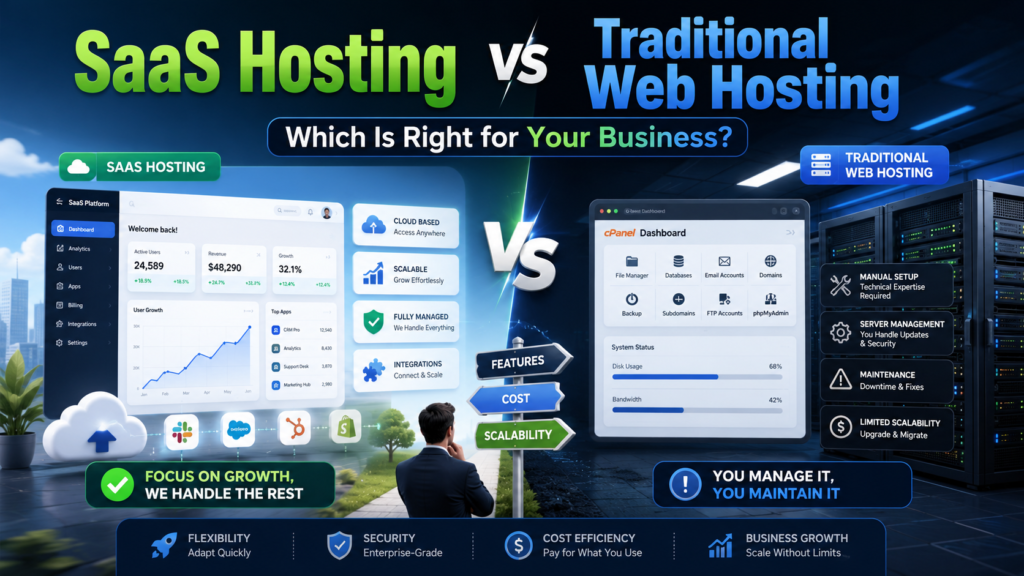
SaaS Hosting vs Traditional Web Hosting: Which Is Right for Your Business?
Choosing between SaaS hosting and traditional web hosting can be confusing because both options allow businesses to operate online. However, they solve very different problems.
Traditional web hosting gives you server space where you can publish a website or install your own applications. Software as a Service, or SaaS, gives you access to a complete application that another company hosts, updates, and maintains.
The right option depends on what you are building, how much control you need, your technical resources, and how you want to manage long-term costs.
This guide compares SaaS hosting vs traditional web hosting across pricing, scalability, security, customization, maintenance, and business use cases.
SaaS Hosting vs Web Hosting: The Quick Answer
Choose traditional web hosting when you want to build and control your own website, database, online store, or custom application.
Choose SaaS when you want ready-to-use software without managing servers, updates, infrastructure, or most technical maintenance.
A local service business launching a WordPress website may only need managed web hosting. A company that wants an online CRM can subscribe to a SaaS product instead of hosting and maintaining CRM software itself.
A software startup building its own SaaS product will usually need cloud hosting, a platform-as-a-service provider, or another scalable hosting environment to run that product.
What Is Traditional Web Hosting?
Web hosting is a service that provides the server resources required to make a website or application available online.
The hosting provider supplies resources such as:
- Server storage
- Processing power
- Memory
- Network connectivity
- Control-panel access
- Backups and security features
- Domain and email tools on some plans
You are normally responsible for selecting, installing, configuring, and maintaining the website or application placed on the hosting account.
Depending on the plan, you may use shared hosting, managed WordPress hosting, a virtual private server, cloud hosting, or a dedicated server.
Common types of web hosting
Shared hosting places multiple websites on the same server. It is affordable and suitable for small websites with predictable traffic.
Managed WordPress hosting provides an environment optimized for WordPress, with services such as backups, caching, updates, and technical support.
VPS hosting gives a website or application allocated virtual resources and greater control than shared hosting.
Cloud hosting distributes workloads across cloud infrastructure and can make it easier to add resources as demand changes.
Dedicated hosting provides an entire physical server for one customer, offering high control and resource isolation at a higher cost.
Traditional hosting is most useful when your company owns the website or application and wants control over its code, design, integrations, data, and infrastructure choices.
What Is SaaS?
Software as a Service is a delivery model in which customers access an application over the internet while the SaaS provider operates the software and its underlying infrastructure.
NIST describes SaaS as using a provider’s applications running on cloud infrastructure without the customer managing the underlying servers, operating systems, networks, or storage. IBM and Microsoft similarly describe SaaS as provider-hosted software typically accessed through a browser or application.
Common SaaS categories include:
- Customer relationship management
- Accounting and invoicing
- Project management
- Email marketing
- Website building
- Ecommerce
- Human resources
- File storage
- Video conferencing
- Analytics
Customers typically pay monthly or annually based on users, features, storage, usage, or another pricing metric.
With SaaS, you are buying access to a finished software product rather than renting an empty hosting environment.
Web Hosting vs SaaS: Main Differences
| Comparison factor | Traditional web hosting | SaaS |
| What you receive | Server resources | A finished software application |
| Setup | You install or build the website or application | The application is ready to use |
| Maintenance | Customer, developer, or host manages it | SaaS provider manages most maintenance |
| Software updates | Usually your responsibility | Usually automatic |
| Customization | High, depending on the platform | Limited to available settings and integrations |
| Infrastructure control | Moderate to very high | Low |
| Pricing model | Hosting plan or usage-based cost | Subscription, user-based, or usage-based cost |
| Technical skills | Often required | Usually minimal |
| Data portability | Depends on your configuration | Depends on vendor export options |
| Scalability | Must be planned or configured | Often built into the service |
| Migration difficulty | Depends on the application | Can be difficult if vendor-dependent |
| Best suited for | Owned websites and custom applications | Ready-to-use business software |
SaaS vs Self-Hosted Software
The most accurate comparison is often not simply SaaS versus web hosting. It is SaaS versus self-hosted software.
With a self-hosted solution, your company installs software on a server it controls or rents. The software may be open source, commercially licensed, or custom-built.
With SaaS, the vendor hosts and operates the application for you.
Advantages of SaaS
SaaS usually offers:
- Faster implementation
- Lower initial technical requirements
- Automatic software updates
- Easier remote access
- Predictable subscription billing
- Vendor-managed infrastructure
- Built-in collaboration features
- Less day-to-day server administration
SaaS can be particularly valuable for small U.S. businesses that do not have an internal IT team.
Disadvantages of SaaS
Potential limitations include:
- Recurring subscription increases
- Per-user charges
- Restricted customization
- Dependence on the vendor
- Limited infrastructure access
- Data-export restrictions
- Integration limitations
- Possible vendor lock-in
A business should examine cancellation terms, data-export formats, renewal prices, user limits, storage limits, and API access before choosing a SaaS platform.
Advantages of self-hosted software
Self-hosted software can provide:
- Greater customization
- More control over data storage
- Direct infrastructure access
- Freedom to select hosting providers
- Control over update schedules
- Fewer vendor-imposed usage restrictions
- The ability to build specialized integrations
Disadvantages of self-hosting
The business may need to manage:
- Installation
- Server configuration
- Security patches
- Software updates
- Backups
- Performance monitoring
- Scaling
- Disaster recovery
- Technical support
Self-hosting is not automatically cheaper. The total cost must include development time, system administration, monitoring, security, backups, and downtime—not just the monthly server bill.
SaaS Hosting Cost vs Web Hosting Cost
Cost is one of the most important factors in a web hosting and SaaS comparison, but the advertised monthly price rarely represents the complete expense.
Entry-level shared web hosting can begin at only a few dollars per month during an introductory period. However, renewal costs may rise to approximately $10 to $20 per month, while hosting with additional resources, stronger support, and advanced security costs more.
SaaS subscriptions may initially appear more expensive than basic hosting, but they often include the software, infrastructure, maintenance, updates, support, and application development that a self-hosted business would otherwise have to manage.
Calculate the 36-month total cost
Compare each option using the following expenses.
Traditional hosting costs:
- Initial development
- Hosting plan
- Premium software licenses
- Developer support
- Security tools
- Backup storage
- Monitoring
- Maintenance
- Upgrades
- Emergency repairs
- Migration costs
SaaS costs:
- Monthly or annual subscription
- User-based charges
- Usage fees
- Premium integrations
- Data storage
- Implementation
- Staff training
- Renewal increases
- Data migration
- Cancellation or export costs
A $30 monthly SaaS platform may be more economical than a low-cost server if the self-hosted alternative requires several hours of developer work every month.
On the other hand, a self-hosted system may become more economical at scale when SaaS pricing increases significantly with every user, customer, contact, or transaction.
Which Option Offers Better Scalability?
SaaS platforms are generally designed to let customers add users, storage, or features without manually upgrading servers.
However, scalability is limited by the vendor’s plans and product architecture. You may have to move to a significantly more expensive plan when your business exceeds a user, storage, API, or transaction limit.
Traditional hosting provides more control over scaling, but your company must plan and manage it.
Shared hosting has limited resources. VPS and dedicated hosting offer more capacity but may require manual upgrades. Cloud hosting can provide flexible resources for websites and applications with changing traffic levels.
Current cloud-hosting guidance generally positions traditional hosting as suitable for smaller sites with stable demand, while cloud infrastructure is more appropriate for applications that require elasticity, redundancy, and support for traffic spikes.
Which Option Is More Secure?
Neither SaaS nor self-hosted software is automatically secure.
With traditional hosting, your responsibility may include:
- Updating the application
- Patching plugins and themes
- Managing user permissions
- Configuring firewalls
- Protecting administrator accounts
- Monitoring suspicious activity
- Testing backups
- Securing custom code
With SaaS, the provider handles more of the infrastructure and application stack, but the customer still has responsibilities.
These commonly include:
- Using strong authentication
- Enabling multifactor authentication
- Controlling user access
- Reviewing integrations
- Protecting endpoints
- Configuring the application correctly
- Managing sensitive data
- Removing former employees
- Monitoring account activity
Microsoft’s shared-responsibility guidance explains that responsibilities shift toward the provider as organizations move from self-managed infrastructure to SaaS, but customers remain responsible for areas such as data, identities, devices, access, and configuration. CISA also recommends secure SaaS configuration as part of its guidance for businesses.
When comparing vendors, ask for documentation about encryption, backups, incident response, access controls, audit logs, data locations, security testing, and relevant compliance standards.
Do SaaS Companies Need Web Hosting?
Yes. A company building and selling its own SaaS application needs infrastructure on which that application can run.
However, a SaaS application usually needs more than ordinary shared website hosting.
A production SaaS product may require:
- Application servers
- Databases
- Object storage
- Load balancing
- Content delivery
- Automated backups
- Monitoring
- Logging
- Email delivery
- Authentication
- Staging environments
- Deployment pipelines
- Horizontal or vertical scaling
- Disaster recovery
A small SaaS startup may begin with a managed application platform or simple cloud instance. As the number of customers grows, it may require a more resilient cloud architecture.
Best Hosting Options for a SaaS Startup
There is no single best hosting provider for every SaaS application. The right infrastructure depends on the technical stack, expected traffic, compliance requirements, budget, and experience of the development team.
Managed application platforms
A managed platform can reduce infrastructure work by handling deployment, runtime configuration, SSL, scaling, and monitoring.
It is often suitable for:
- Minimum viable products
- Small development teams
- Early-stage startups
- Standard application stacks
- Teams prioritizing fast deployment
The tradeoff is less infrastructure control and potentially higher costs as usage grows.
Cloud infrastructure
Cloud infrastructure provides access to virtual machines, managed databases, storage, networking, and other services.
It is suitable for:
- Custom SaaS architectures
- Growing user bases
- Applications with variable traffic
- Multi-region deployments
- Products requiring specialized services
The tradeoff is additional complexity. Poorly configured cloud services can also create unpredictable bills.
VPS hosting
A virtual private server can be a practical option for a small SaaS product with predictable usage.
It offers more control than shared hosting and can be less complex than a large cloud environment. However, the company may have to manage the operating system, security, backups, deployment, and monitoring.
Dedicated or private infrastructure
Dedicated infrastructure may be considered when a SaaS provider requires high resource isolation, specialized hardware, predictable performance, or strict infrastructure control.
It is usually more expensive and requires stronger technical management.
Best Option by Business Type
| Business situation | Recommended starting option |
| Local business website | Managed WordPress or shared hosting |
| Small online store | Hosted ecommerce SaaS |
| Custom ecommerce experience | Cloud or managed application hosting |
| Business needing CRM software | SaaS CRM |
| Company requiring specialized internal software | Self-hosted or custom cloud application |
| Early-stage SaaS startup | Managed platform or simple cloud infrastructure |
| Growing SaaS company | Scalable cloud architecture |
| Agency managing many client sites | Reseller hosting, VPS, or managed cloud |
| Compliance-sensitive organization | Evaluated SaaS enterprise plan or controlled private infrastructure |
| Nontechnical small business | SaaS or fully managed hosting |
How to Compare Web-Hosting and SaaS Providers
Do not select a provider based only on the introductory price.
Evaluate the following areas before signing a contract.
1. Renewal and long-term pricing
Determine what the service will cost after promotional pricing ends. For SaaS, model how costs change when you add employees, customers, contacts, storage, or transactions.
2. Performance
Review server locations, content delivery options, caching, database performance, and application response times.
For SaaS products, ask whether performance differs between subscription levels.
3. Uptime and service commitments
Review the service-level agreement, uptime calculation, maintenance exclusions, compensation process, and historical status information.
4. Backups and recovery
Find out:
- How frequently backups are created
- How long they are retained
- Whether they are stored separately
- How restoration works
- Whether restoration costs extra
- Whether customers can download independent copies
5. Security and access control
Look for multifactor authentication, role-based access, encryption, security logs, vulnerability management, and clear incident-notification procedures.
6. Data ownership and portability
Confirm that your business can export its information in a usable format. Ask whether files, customer records, media, database records, and historical reports can be exported.
7. Integrations and APIs
Check whether the service works with your existing payment system, CRM, analytics platform, accounting software, email provider, and other business tools.
8. Customer support
Review support hours, response targets, available channels, onboarding services, technical expertise, and whether priority support costs extra.
9. Scalability
Determine whether you can upgrade gradually or whether growth forces you into a much more expensive plan.
10. Exit strategy
Before choosing a platform, document how your business would leave it.
An exit plan should cover data export, replacement tools, domain ownership, migration time, cancellation terms, and business continuity.
Common Mistakes to Avoid
Choosing only by advertised price
Introductory hosting rates and entry-level SaaS plans may exclude essential features or increase significantly at renewal.
Paying for more infrastructure than you need
A new brochure website rarely requires dedicated infrastructure. Start with a plan that meets current requirements and provides a reasonable upgrade path.
Using shared hosting for a demanding SaaS application
Shared hosting is designed primarily for conventional websites. A customer-facing SaaS platform may need isolated resources, database control, background processes, monitoring, and scalable infrastructure.
Ignoring vendor lock-in
A convenient SaaS product can become difficult to replace when business data, workflows, integrations, and staff processes depend on it.
Assuming the provider handles all security
Even with SaaS, your company must manage identities, permissions, passwords, devices, integrations, and sensitive information.
Failing to calculate staff time
Self-hosted software may have a low licensing cost while requiring substantial development and administration work.
SaaS Hosting vs Traditional Web Hosting: Final Verdict
Traditional web hosting and SaaS should not be treated as interchangeable services.
Web hosting provides infrastructure where you can build and operate your own website or application. SaaS provides access to software that is already built and operated by a vendor.
Traditional hosting is generally better when customization, infrastructure control, software ownership, or specialized integrations are priorities.
SaaS is generally better when fast implementation, ease of use, automatic updates, and reduced technical maintenance are more important.
For many businesses, the best solution is a combination of both. A company might use managed hosting for its public website while relying on SaaS products for accounting, CRM, email marketing, project management, and analytics.
Compare the complete three-year cost, technical responsibilities, scalability, security, portability, and support—not just the initial monthly price.
Once your website or SaaS business is online, a well-planned SEO strategy can help potential customers discover it. RaasDigital helps businesses strengthen search visibility through content strategy, off-page SEO, and relevant link-building campaigns.
Frequently Asked Questions
Is web hosting a SaaS?
Web hosting is generally considered an infrastructure or managed hosting service rather than SaaS. Web hosting provides server resources, while SaaS gives customers access to a complete software application.
What is the difference between SaaS and hosted software?
SaaS is normally centrally managed by the software provider and delivered to multiple customers through subscriptions. Hosted software may simply be traditional software installed on an off-site server and may still require individual maintenance or customization.
Is SaaS cheaper than self-hosting?
SaaS can be cheaper initially because it reduces development, infrastructure, and maintenance requirements. Self-hosting may become more economical for some large or specialized operations, but only after staffing, security, maintenance, and downtime costs are included.
Do SaaS companies need web hosting?
Yes. SaaS providers need cloud, platform, VPS, dedicated, or other infrastructure to run their applications. Regular shared hosting is rarely appropriate for a growing SaaS product.
What is the best hosting for a SaaS startup?
A managed application platform or simple cloud environment is often a practical starting point. The final choice should depend on the application stack, expected usage, technical expertise, security requirements, and budget.
Is SaaS more secure than traditional hosting?
SaaS can reduce infrastructure and patching responsibilities, but security remains shared. Customers must still protect accounts, manage access, review configurations, and safeguard their data.
What should a small business choose?
A nontechnical small business that needs standard business software will usually benefit from SaaS. A business building its own website or custom application will need web hosting or cloud infrastructure.
Can I move from SaaS to self-hosted software later?
It may be possible, but migration depends on whether the SaaS provider offers complete data exports, accessible APIs, compatible formats, and reasonable cancellation terms. Review portability before subscribing.