
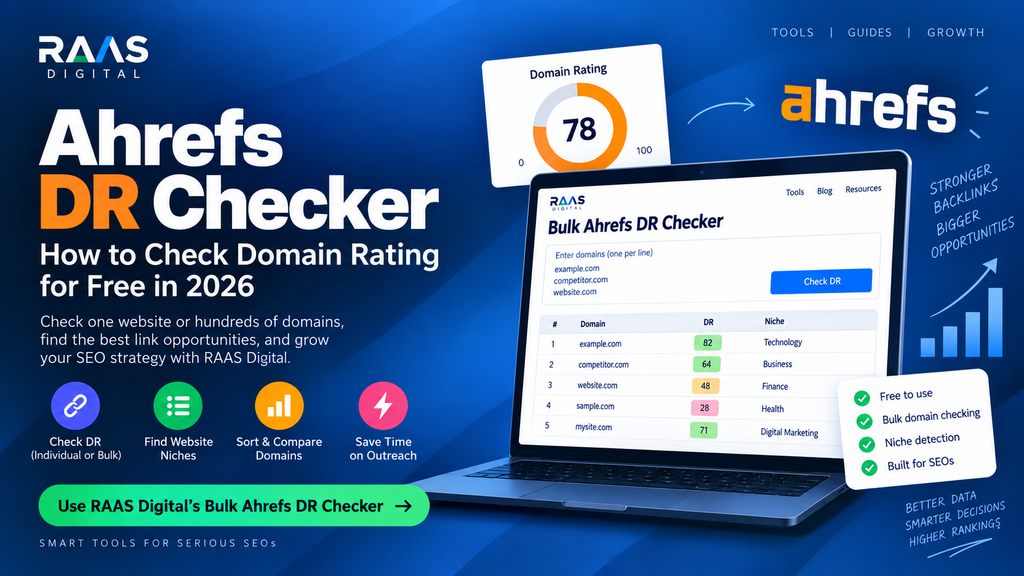
Ahrefs DR Checker: How to Check Domain Rating for Free in 2026
If you work in SEO, link building, guest posting, competitor research, or digital PR, you have probably seen websites described as DR 20, DR 50, DR 70, or DR 90.
But what does DR actually mean?
And more importantly, how can you check the Ahrefs Domain Rating of one website—or hundreds of websites—without wasting time checking domains one by one?
An Ahrefs DR checker helps you measure the relative strength of a website’s backlink profile using Ahrefs’ Domain Rating metric.
For quick research, you can check an individual domain. But if you are reviewing guest-post prospects, link-insertion opportunities, competitor domains, or outreach lists, a bulk Ahrefs DR checker is considerably more useful.
This guide explains what Ahrefs DR means, how to check it for free, how to check DR in bulk, what makes a good DR score, and why Domain Rating should never be the only metric you use when evaluating a website.
What Is an Ahrefs DR Checker?
An Ahrefs DR checker is a tool that displays a website’s Domain Rating, usually abbreviated as DR.
Domain Rating is a metric developed by Ahrefs to measure the relative strength of a website’s backlink profile on a scale from 0 to 100.
Generally:
- Higher DR = stronger backlink profile
- Lower DR = weaker or less-established backlink profile
However, DR is not a complete website-quality score.
A website can have a high Domain Rating while receiving little organic traffic, publishing poor content, or having very little topical relevance to your website.
That is why DR is most useful as an initial SEO screening metric.
Check Ahrefs DR in Bulk With RAAS Digital
Checking one domain is easy.
Checking 10, 20, 50, or several hundred domains manually is a different problem.
This is especially common for link builders.
You may receive a spreadsheet containing dozens of guest-post websites and need to quickly determine:
- Which websites have strong DR?
- Which ones are worth reviewing first?
- What niche does each website belong to?
- Which domains should be removed from the list?
- Which sites deserve deeper manual analysis?
RAAS Digital created a free tool specifically for this workflow.
The RAAS Digital Bulk Ahrefs DR Checker lets you enter multiple domains and check their Domain Rating in one dashboard-style workflow.
Instead of opening dozens of browser tabs, you can paste your prospect list and review the domains together.
What the RAAS Digital Bulk DR Checker Does
The tool is built for SEOs, outreach teams, agencies, freelancers, and link builders who regularly evaluate websites.
It can help you:
- Check multiple domains together
- Remove duplicate domains automatically
- Check Ahrefs Domain Rating
- Estimate each website’s niche
- Sort domains from high DR to low DR
- Sort domains from low DR to high DR
- Keep results in their original order
- Screen guest-post prospect lists
- Review link-insertion opportunities
- Clean outreach spreadsheets faster
The recommended maximum is around 50 domains per check, making it particularly useful when reviewing medium-sized outreach lists.
Why Niche Data Matters Alongside DR
Imagine you are reviewing these websites:
Website A
DR: 74
Niche: Entertainment
Website B
DR: 58
Niche: Cloud Computing
Your client operates a cloud hosting company.
If you looked only at DR, Website A might appear better.
But Website B could be much more relevant to the campaign.
This is why combining DR + niche relevance is much more useful than simply sorting domains by authority.
A strong link-building workflow should ask:
Is this website authoritative AND relevant?
Not simply:
Does it have high DR?
How to Check Ahrefs Domain Rating for Free
There are two main approaches.
Method 1: Check One Website
If you only need to analyze one website, you can use the official Ahrefs Website Authority Checker.
Enter the root domain and the tool can show the website’s Domain Rating.
For example:
example.com
When evaluating overall Domain Rating, it is usually better to enter the root domain rather than a specific article URL.
Method 2: Check Multiple Websites
For link prospecting and outreach, checking websites individually becomes slow.
Instead, use a bulk DR checker.
Paste your list of domains, run the check, and sort the results.
For example:
example1.com
example2.com
example3.com
example4.com
example5.com
You can then prioritize which websites deserve manual review.
What Does Ahrefs DR Actually Measure?
One of the most important things to understand about Domain Rating is what it does not measure.
DR does not directly measure:
- Content quality
- Organic traffic
- Google rankings
- Website design
- Conversion rate
- Brand reputation
- Topic relevance
- Domain age
- User experience
Domain Rating is primarily related to the strength of a domain’s backlink profile.
Factors considered include signals such as:
- Number of referring domains
- Strength of referring domains
- Link distribution across referring domains
This is why DR should be viewed as a backlink metric rather than an overall SEO score.
What Is a Good Domain Rating?
There is no single DR score that is automatically considered good.
However, you can use the following ranges as a rough reference.
| Domain Rating | General Interpretation |
|---|---|
| DR 0–10 | New or very weak backlink profile |
| DR 11–30 | Developing authority |
| DR 31–50 | Moderate backlink strength |
| DR 51–70 | Strong backlink profile |
| DR 71–90 | Very strong authority |
| DR 91–100 | Extremely authoritative domain |
These ranges are not official quality categories.
The best way to determine whether your DR is good is to compare it with websites in your own niche.
For example, a DR 35 business might be very strong in a small local industry.
The same DR 35 could be relatively weak in an industry where the top competitors are DR 80+.
Is Domain Rating a Google Ranking Factor?
No.
Ahrefs Domain Rating is not a metric created or used directly by Google.
Google does not rank pages because they have:
- DR 50
- DR 70
- DR 90
Domain Rating is created by Ahrefs to help SEO professionals understand backlink-profile strength.
However, backlinks themselves can play an important role in search visibility.
That is why websites with strong backlink profiles often perform well organically.
The distinction is important:
DR is not a Google ranking factor.
It is an SEO metric that can help you analyze one component of website authority.
Ahrefs DR vs DA: What Is the Difference?
DR and DA are often confused because they both use scores from 0 to 100.
But they are different metrics.
DR
DR stands for Domain Rating.
It is associated with Ahrefs.
DA
DA stands for Domain Authority.
It is associated with Moz.
Both try to help users understand domain-level authority, but they use different databases and methodologies.
That means a website might have:
DR: 65
DA: 51
Another website might have:
DR: 49
DA: 62
This does not necessarily mean either metric is wrong.
They simply measure authority differently.
Ahrefs DR vs UR
Another Ahrefs metric you may encounter is UR, or URL Rating.
The difference is important.
Domain Rating
Measures the backlink strength of the entire domain.
URL Rating
Measures the backlink strength of an individual page.
This becomes particularly important when evaluating backlink placements.
You might receive a link from a DR 80 website.
Sounds excellent.
But imagine the article linking to you:
- Has no backlinks
- Receives no traffic
- Is five years old
- Has poor internal linking
- Is unrelated to your industry
- Is barely indexed
The domain may be strong, while the linking page itself is weak.
That is why serious link builders evaluate both domain-level and page-level quality.
Why High DR Does Not Automatically Mean a Good Backlink
This is one of the biggest mistakes in link building.
Consider two websites.
Website A
DR: 78
Traffic: Very low
Relevance: Poor
Content: Generic
Outbound commercial links: Very high
Website B
DR: 52
Traffic: Strong
Relevance: Excellent
Content: High quality
Outbound links: Natural
Which one would you choose?
In many situations, Website B may be the better backlink opportunity.
Domain Rating should therefore be used as a filtering metric, not an automatic approval metric.
When evaluating a link, look at:
DR + Traffic + Relevance + Page Quality + Link Context + Spam Risk
That combination gives you a much more realistic picture.
How to Evaluate a Website After Checking DR
Once you know a website’s Domain Rating, your work is not finished.
Use this process.
1. Check Topical Relevance
Does the website publish content related to your industry?
For example, a cybersecurity site is naturally relevant to:
- Security software
- Cloud infrastructure
- Hosting
- Network security
- SaaS security
It may not be naturally relevant to:
- Fashion
- Recipes
- Celebrity news
A relevant DR 50 website can often make more sense than an unrelated DR 75 website.
2. Check Organic Traffic
Authority without traffic deserves investigation.
A website showing strong DR but almost no organic visibility could have:
- Lost rankings
- Weak content
- Manipulated authority
- Irrelevant backlinks
- Poor SEO
- Recent traffic decline
Traffic should therefore be reviewed alongside DR.
3. Check the Actual Linking Page
Do not approve a backlink just because the homepage looks good.
Review the exact article.
Ask:
- Is the article relevant?
- Does it receive traffic?
- Is it indexed?
- Is the content useful?
- Does your target link fit naturally?
4. Review Outbound Links
Be cautious if every article contains links to unrelated commercial websites.
For example:
An article about web development linking to:
- Casinos
- Loans
- CBD
- Hosting
- Insurance
- Fashion
- Crypto
may deserve additional investigation.
5. Review Spam Signals
DR can be strong even when a website has questionable SEO signals.
Check for:
- Excessive paid links
- Thin content
- Irrelevant posts
- Poor editorial quality
- Strange anchor text
- Large traffic drops
- Suspicious backlink patterns
How to Use Bulk DR Checking for Link Building
This is where a bulk checker becomes particularly useful.
Imagine an outreach team receives a list of 150 websites.
Checking every site manually from the beginning would take hours.
A better workflow is:
Step 1: Gather Your Domains
Collect websites from:
- Competitor backlinks
- Guest-post lists
- Link exchanges
- Outreach research
- Google searches
- Publisher databases
- Previous contacts
Step 2: Run a Bulk DR Check
Paste your domains into the bulk checker.
Step 3: Sort by DR
You can start by reviewing stronger domains.
For example:
DR 70+
DR 50–69
DR 35–49
DR below 35
The thresholds you use depend on your campaign.
Step 4: Check Niche Relevance
Do not eliminate or approve sites based only on DR.
Identify whether each domain is related to your target website.
Step 5: Check Traffic
Remove websites with suspiciously weak or declining organic visibility unless there is a compelling reason to pursue them.
Step 6: Review the Exact Page
Find an existing blog article where your target link would fit naturally.
Step 7: Contact the Publisher
Once a website passes the screening process, move it into outreach.
This is much faster than manually researching every domain in random order.
Example: Screening a Link Prospect List
Suppose you have the following list:
| Website | DR | Niche | Decision |
|---|---|---|---|
| Site A | 76 | Entertainment | Reject |
| Site B | 64 | Cloud Computing | Review |
| Site C | 58 | Web Hosting | Review |
| Site D | 51 | SaaS | Review |
| Site E | 45 | Gambling | Reject |
If your client sells VPS hosting, Sites B and C are immediately more interesting.
Site D may also be useful depending on the source article.
This shows why adding niche classification to bulk DR checking can save significant time.
Using DR for Competitor Research
Domain Rating is also useful for competitor benchmarking.
Check:
- Your website
- Your three closest competitors
- Major websites ranking for your target keywords
You may discover something like this:
Your website: DR 32
Competitor A: DR 41
Competitor B: DR 58
Competitor C: DR 63
This tells you that strengthening your backlink profile may deserve attention.
You can then research where competitors are earning their links.
Look for websites linking to several competitors.
Those websites may already be interested in your industry, making them strong outreach prospects.
Can a Low-DR Website Rank on Google?
Yes.
A website does not need DR 70 or DR 80 to rank.
Lower-authority websites can rank when their pages provide:
- Better search-intent satisfaction
- Strong topical coverage
- Original information
- Good internal linking
- Strong on-page SEO
- Relevant backlinks
- Better user experience
You should never assume:
High DR = automatic rankings.
SEO is more complicated than that.
Why Did My Domain Rating Drop?
A decline in Domain Rating does not automatically mean your website has been penalized.
Possible causes include:
Lost Referring Domains
Websites linking to you may:
- Delete pages
- Remove links
- Change URLs
- Redirect content
- Shut down
Changes to Linking Websites
The authority of domains linking to you can change.
Backlink Database Updates
SEO tools continuously discover and remove links from their indexes.
Changes Across the Web
Because authority metrics are relative, changes elsewhere in the backlink graph can influence your score.
A small DR decrease is usually not something to panic about.
Instead, investigate:
- Lost backlinks
- Lost referring domains
- Traffic changes
- Ranking changes
How to Increase Ahrefs DR
If you want to increase Domain Rating, do not focus on manipulating the number.
Focus on building a genuinely stronger backlink profile.
Earn Backlinks From Quality Websites
Prioritize websites with:
- Real traffic
- Strong content
- Relevant audiences
- Editorial standards
- Healthy backlink profiles
Increase Unique Referring Domains
Links from new quality referring domains can help strengthen your backlink profile.
Publish Linkable Content
Content that naturally attracts links includes:
- Free tools
- Original research
- Industry statistics
- Studies
- Templates
- Calculators
- Data reports
- Detailed tutorials
Analyze Competitor Backlinks
Find websites linking to competitors but not to you.
These domains may be easier to approach because they already publish or reference content in your industry.
Use Digital PR
Original statistics, research, expert opinions, and useful resources can attract links from highly authoritative publications.
Should You Buy Backlinks Based on DR?
No.
Never purchase a backlink just because someone tells you:
“This website is DR 75.”
DR alone does not tell you enough.
Before approving a paid placement, inspect:
- Organic traffic
- Traffic trend
- Relevant keywords
- Website niche
- Article relevance
- Link placement
- Anchor text
- Outbound links
- Content quality
- Spam signals
A relevant DR 50 site with strong organic visibility can be a significantly better opportunity than an unrelated DR 75 site created mainly for selling links.
Bulk Ahrefs DR Checker vs Manual DR Checking
Manual checking works when you have one or two domains.
Bulk checking becomes more useful as your list grows.
| Task | Manual DR Check | Bulk DR Checker |
|---|---|---|
| Check one domain | Excellent | Good |
| Check 10 domains | Slow | Fast |
| Check 50 domains | Very slow | Excellent |
| Sort by DR | Manual | Easy |
| Remove duplicates | Manual | Automatic |
| Identify niches | Separate research | Included in workflow |
| Outreach prospecting | Inefficient | Ideal |
For active link builders, the time savings quickly become significant.
Who Should Use the RAAS Digital Bulk Ahrefs DR Checker?
The tool is particularly useful for:
SEO Agencies
Agencies often manage link campaigns for several clients at once and may need to review hundreds of domains.
Link Builders
DR checking is frequently one of the first steps during prospect qualification.
Outreach Specialists
Bulk analysis helps determine which websites deserve outreach before spending time finding editors and writing emails.
Freelancers
Freelancers can quickly evaluate vendor lists and guest-post opportunities without checking every domain individually.
Website Owners
Site owners can compare competitors or review potential backlink opportunities.
Guest-Post Buyers
If a publisher sends you a spreadsheet containing dozens of websites, running a bulk check first can help remove unsuitable options.
Don’t Stop at DR
The strongest SEO campaigns do not chase metrics blindly.
Domain Rating is useful.
But it should be one part of a larger decision.
A practical link-evaluation formula is:
Authority + Relevance + Traffic + Content Quality + Page Context + Trust
RAAS Digital also covers these different stages in its guide to the best link building tools in 2026, including tools for prospect qualification, backlink analysis, outreach, spam checking, and relevance evaluation.
The goal is not simply to find the website with the highest DR.
The goal is to find the website most likely to provide a legitimate, relevant, and useful backlink.
Frequently Asked Questions
What is an Ahrefs DR checker?
An Ahrefs DR checker displays the Domain Rating of a website. Domain Rating is Ahrefs’ metric for measuring the relative strength of a domain’s backlink profile.
Is Ahrefs DR free to check?
Yes. Individual DR lookups can be performed using free tools, while bulk checking is useful when analyzing many domains.
What is the best free bulk Ahrefs DR checker?
For link-building prospecting, RAAS Digital provides a free Bulk Ahrefs DR Checker that can check multiple domains, sort them by DR, remove duplicates, and estimate website niches in one workflow.
What is a good Ahrefs DR?
There is no universal good DR. Compare your website with competitors in the same niche. Generally, higher DR indicates a stronger backlink profile, but relevance and organic traffic should also be evaluated.
Is DR 50 good?
DR 50 represents a reasonably strong backlink profile for many websites, but its value depends on the industry and competing domains.
Is DR 70 good?
DR 70 generally indicates a strong backlink profile. However, a DR 70 website should still be reviewed for traffic, relevance, content quality, and spam signals before pursuing a backlink.
Is Domain Rating a Google ranking factor?
No. Domain Rating is an Ahrefs metric and is not directly used by Google as a ranking factor.
Can a website have high DR and low traffic?
Yes. A website can have strong backlinks but poor organic visibility. This is why traffic should always be checked alongside DR.
Can I check multiple domain ratings at once?
Yes. A bulk DR checker allows you to paste multiple domains and analyze them together instead of checking each site individually.
Does higher DR guarantee better rankings?
No. Higher Domain Rating does not guarantee better rankings. Search performance depends on content, search intent, relevance, technical SEO, backlinks, competition, and many other factors.
Final Thoughts
An Ahrefs DR checker is one of the fastest ways to understand the backlink strength of a website.
For a single domain, a basic DR lookup may be enough.
But link builders rarely work with one domain.
They work with spreadsheets.
They work with prospect lists.
They work with dozens or hundreds of potential publishers.
That is where a bulk Ahrefs DR checker becomes much more valuable.
Use Domain Rating to narrow your list.
Then check niche relevance.
Review traffic.
Inspect the exact article.
Analyze spam signals.
Make sure the placement is contextually natural.
The biggest mistake is assuming the highest-DR website is automatically the best backlink.
It isn’t.
The strongest backlink opportunities combine authority, relevance, real visibility, quality content, and natural placement.
Use DR to help make the decision—not to make the entire decision for you.
RAAS Digital is an independent SEO and link-building platform and is not affiliated with Ahrefs. Ahrefs and Domain Rating are trademarks or metrics associated with Ahrefs.