
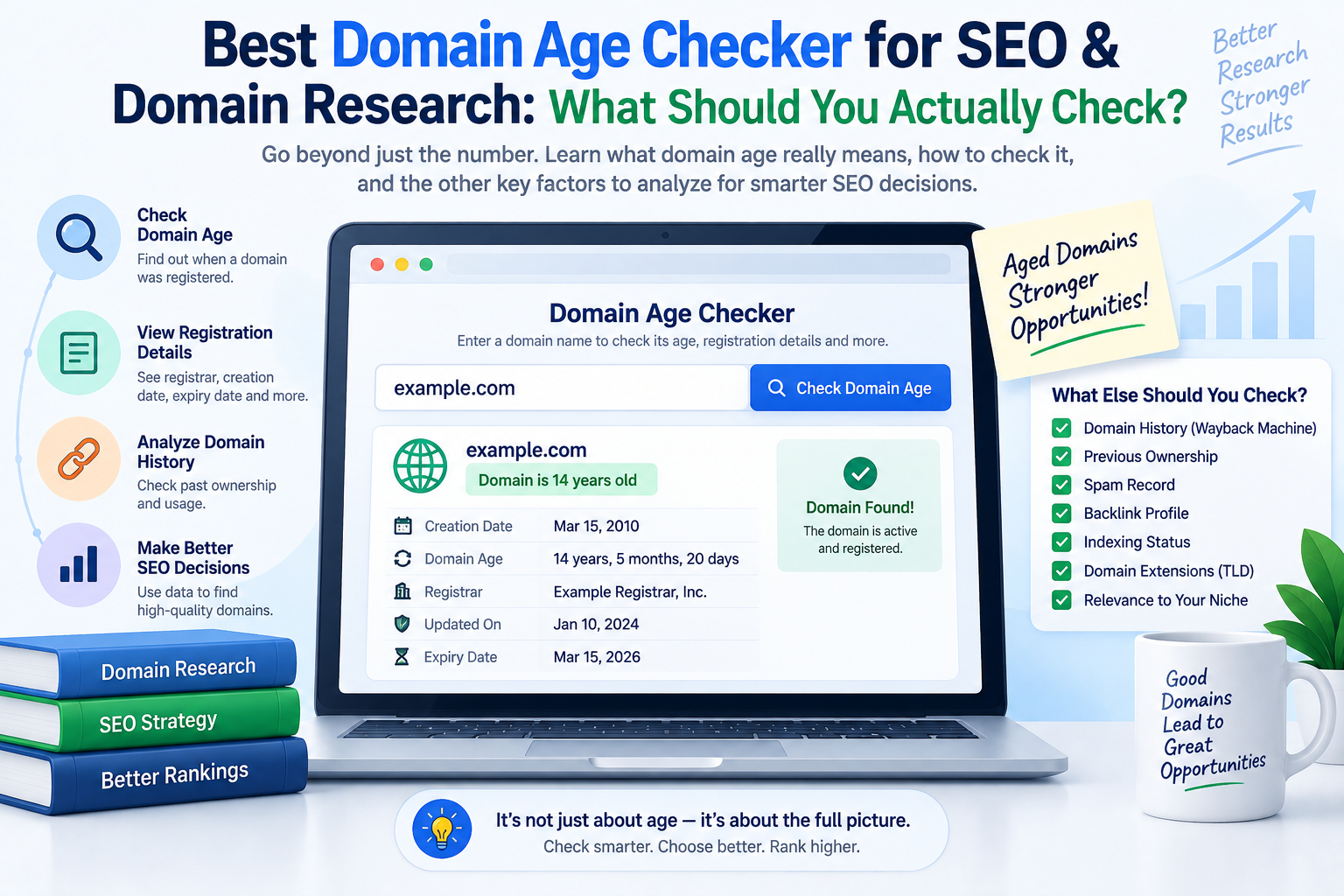
Best Domain Age Checker for SEO & Domain Research: What Should You Actually Check?
Searching for the best domain age checker sounds like a simple task.
You enter a website address, click a button, and the tool tells you that the domain is 3, 8, or 17 years old.
Done.
Except that number by itself is not particularly useful.
If you’re checking a domain because you plan to buy it, build links from it, acquire an existing website, research a competitor, or investigate an expired domain, you need considerably more information than:
Domain age: 11 years.
You need to know when it was registered, who the registrar is, whether the registration is approaching expiration, what nameservers it uses, whether its infrastructure looks normal, and what you should investigate next.
That is why a useful domain checker should function as a domain research tool, not simply an age calculator.
RAAS Digital’s free Domain Age & Info Checker is built around that idea. It combines available domain-age information with registration, DNS, nameserver, status, IP, MX, and other technical signals so SEOs and website buyers can perform a faster first-pass review.
Let’s look at how to choose the right domain age checker—and how to turn a simple registration date into a better SEO or buying decision.
What Is a Domain Age Checker?
A domain age checker is an online tool that retrieves the available registration date for a domain and calculates how much time has passed since that date.
For example:
Domain registered: April 18, 2014
Current year: 2026
Approximate domain age: 12 years
Modern domain lookup services increasingly rely on RDAP, or Registration Data Access Protocol.
ICANN’s registration-data specifications map information such as a domain’s creation date, expiry date, status, nameservers, and registrar information into RDAP records.
A good tool then turns that registration data into information a normal user can understand.
But not every domain age checker provides the same depth.
Try the Free RAAS Digital Domain Age Checker
If your goal is simply to check a domain right now, you can use the RAAS Digital Domain Age & Info Checker.
Enter a domain or website URL and the tool can return available information including:
- estimated domain age;
- creation date;
- expiration date;
- registrar;
- nameservers;
- domain status;
- DNS records;
- IP information;
- MX information;
- HTTPS-related signals.
RAAS Digital uses public RDAP/domain information and basic DNS checks, so the exact information available can vary between registries and domain extensions.
There is no signup required to begin the check.
But once you have the result, don’t stop at the age.
The useful part comes next.
What Should the Best Domain Age Checker Show?
If you’re comparing domain age checker tools, look beyond the headline age.
These are the fields that actually make a domain lookup useful.
1. Domain Creation Date
This is the foundation of the age calculation.
Instead of only displaying:
Age: 9 years
a useful checker should also show something like:
Created: September 14, 2017
The date gives you a clearer reference point when comparing domains or investigating a seller’s claims.
2. Exact or Estimated Domain Age
The tool should convert the creation date into an understandable age.
This is useful when reviewing several websites because you can quickly distinguish between:
- newly registered domains;
- moderately established domains;
- long-established domains.
Age does not tell you whether a website is good.
It tells you whether more history potentially exists to investigate.
3. Registrar Information
Knowing the registrar may not directly affect SEO, but it helps complete your domain due-diligence picture.
When researching an acquisition, registration information can also help verify whether what you’re seeing is consistent with the seller’s description.
4. Expiration Date
A domain expiry checker is especially useful when you’re:
- evaluating a domain purchase;
- managing multiple domains;
- researching expired domains;
- reviewing an existing website acquisition.
The expiration date is separate from domain age, but both belong in the same domain-research workflow.
5. Domain Status
Domain status codes can reveal whether a domain is active, restricted, pending transfer, or affected by another registry-level condition.
You don’t necessarily need to memorize every status code.
But having the information available can flag situations worth investigating.
6. Nameservers
Nameservers provide another clue about the domain’s current infrastructure.
They can help identify:
- hosting changes;
- DNS providers;
- infrastructure patterns;
- whether multiple domains appear related.
For ordinary users this may be secondary information.
For SEOs, technical marketers, and website buyers, it can be useful context.
7. DNS and Technical Information
This is where a broader domain information checker becomes more useful than a basic website-age calculator.
RAAS Digital’s tool can supplement available registration data with DNS-oriented information such as nameservers, IP, MX, and HTTPS signals where available.
That means one check can answer more than:
How old is this domain?
It can begin answering:
What kind of domain am I actually investigating?
Best Domain Age Checker for SEO: Age Is Only the First Filter
SEO professionals often use domain age when reviewing:
- backlink prospects;
- guest-post sites;
- link-insertion opportunities;
- competitor websites;
- expired domains;
- domains for acquisition.
The important mistake to avoid is treating domain age as an SEO score.
It isn’t.
Google describes its ranking systems as using many different page-level and site-level signals to determine which results are useful and relevant.
So this:
15-year-old domain
does not automatically mean:
Strong SEO domain.
A 15-year-old domain could have zero useful content and a poor backlink profile.
A 4-year-old domain could have excellent industry authority, strong content, genuine traffic, and reputable backlinks.
The age is a clue.
The SEO history determines whether that clue matters.
Domain Age vs Domain Authority
This is another distinction worth understanding.
Domain age refers to how long the domain has been registered according to available registration data.
Domain authority metrics attempt to estimate the strength of a domain’s backlink profile or SEO authority.
They measure different things.
Consider:
| Domain | Age | DR | Organic Visibility | Initial Impression |
| A | 16 years | 12 | Low | Old but weak |
| B | 7 years | 58 | Strong | Established |
| C | 1 year | 45 | Moderate | Requires investigation |
Domain A is oldest.
It is not automatically the strongest.
Domain C is very new but already shows unusual authority growth.
That does not automatically make it bad either.
It means you should investigate.
This is exactly where a domain age checker for SEO becomes useful: it adds another data point to your quality-control process.
Why Link Builders Should Check Domain Age
Suppose someone offers you a guest post.
The seller provides:
DR: 68
Traffic: 25,000
Price: $200
Those numbers look attractive.
Before paying, you discover the domain was registered eight months ago.
Does that mean you should reject it?
No.
But it should trigger more questions.
For example:
- How did the website acquire its authority so quickly?
- What types of backlinks does it have?
- Is its organic traffic genuine?
- Is the website part of a newly created publishing network?
- Does it publish content across unrelated niches?
- Are the ranking keywords relevant?
- Are most posts commercial?
Domain age becomes a risk-screening signal.
It doesn’t make the final decision for you.
A Better Backlink Prospecting Workflow
Instead of evaluating a backlink using DR alone, use several checks.
Step 1: Check Domain Age
Start with the RAAS Digital Domain Age & Info Checker.
Determine whether you’re dealing with:
- a new domain;
- an established domain;
- a long-standing domain.
Step 2: Check Organic Visibility
A domain can be old while having almost no meaningful search presence.
RAAS Digital’s Website Traffic Estimate Checker can provide a first-pass estimate using crawlable SEO signals, Ahrefs DR where available, sitemap information, PageSpeed, on-page factors, and keyword-footprint signals.
Step 3: Check the Industry
A strong website in the wrong niche may still be a poor backlink opportunity.
Use the Website Industry Finder to identify the site’s likely industry, sub-niche, audience, and link-building category.
Step 4: Check Spam Risk
Run suspicious prospects through the RAAS Digital Spam Score Checker.
The tool checks free website signals such as domain patterns, HTTPS, content depth, outbound-link signals, indexing signals, PageSpeed indicators, and risky-topic keywords. It is a RAAS Digital screening score rather than Moz’s proprietary Spam Score.
Step 5: Check Relevance
Finally, compare the source page with your target page using the Backlink Relevancy Score Checker.
Now your decision is based on:
Age + authority + traffic + niche + spam risk + relevance
rather than DR alone.
That is a much better way to evaluate a backlink investment.
Best Domain Age Checker for Buying an Aged Domain
The commercial value of domain-age research becomes even clearer when money is changing hands.
Imagine someone is selling you an “aged premium domain.”
Price:
$4,500
The seller emphasizes:
Registered in 2008.
That sounds impressive.
But registration age alone does not justify a $4,500 valuation.
Before buying, investigate what you’re actually paying for.
Check the Domain’s Age
Confirm the available creation date.
If the domain isn’t as old as advertised, investigate why.
Check Its Historical Use
A domain registered in 2008 may have:
- operated continuously as a legitimate business;
- remained parked for years;
- changed industries repeatedly;
- expired and changed ownership;
- hosted spam;
- hosted nothing useful.
The registration date cannot tell you the whole story.
Check Existing Backlinks
An aged domain becomes more interesting when it has legitimate links from relevant and trustworthy websites.
Ask:
- Who links to it?
- Why?
- Which historical pages earned those links?
- Are the anchors natural?
- Do the links still point to useful URLs?
Check Current Traffic
An aged domain with established organic traffic is a very different asset from an old domain with no meaningful visibility.
Check for Spam
Look for:
- suspicious anchor text;
- sudden niche changes;
- low-quality outbound links;
- casino/adult/pharmaceutical history;
- hacked pages;
- link-network footprints.
An old domain has had more time to build authority.
It has also had more time to accumulate problems.
What Does a Good Aged Domain Look Like?
There is no universal formula, but an attractive domain acquisition might show:
Age: Established
History: Consistent
Niche: Relevant
Backlinks: Genuine
Organic visibility: Stable
Spam risk: Low
Brandability: Strong
Commercial fit: High
Compare that with:
Age: 17 years
History: Changed niches five times
Traffic: Almost zero
Backlinks: Mostly irrelevant
Spam indicators: High
Price: $7,000
The second domain is older.
That doesn’t make it the better purchase.
Free Domain Age Checker vs Paid Domain Research Tools
Another common commercial search is whether you need to pay simply to check domain age.
For a basic age and registration lookup, usually not.
Public registration systems make several domain-record fields available, and a free domain age checker can make that information easier to interpret.
Paid SEO tools become useful when you need additional proprietary data such as:
- historical organic traffic;
- keyword rankings;
- backlink databases;
- referring domains;
- historical authority metrics;
- competitive estimates.
That means the decision doesn’t need to be:
Free tool OR paid SEO platform.
They can serve different purposes.
A practical workflow is:
Free domain lookup → Initial qualification → Paid-data investigation only when necessary
If you review hundreds of potential backlink sites, that can prevent you from spending paid-tool time investigating domains you would have rejected immediately.
Best Free Domain Age Checker for U.S. SEO Teams: What Matters?
For an SEO agency, consultant, link builder, affiliate marketer, or website investor targeting the U.S. market, speed matters.
You’re rarely checking one website for curiosity.
You may be deciding whether to:
- buy a $300 backlink;
- approve a guest-post publisher;
- acquire a $10,000 website;
- purchase an expired domain;
- contact a publisher;
- investigate a competitor.
The right free domain age checker should therefore be:
Fast
You should be able to paste a domain and get the important information immediately.
Clear
You shouldn’t need to decode raw registration data just to find the creation date.
Useful Beyond Age
Registrar, expiration, status, nameserver, and DNS information make the check considerably more valuable.
Free for Initial Research
You should not need an expensive SEO subscription simply to answer a basic registration question.
Designed for SEO Workflows
This is where RAAS Digital takes a different approach.
The Domain Age & Info Checker sits alongside tools for:
- backlink relevance;
- website traffic estimation;
- DR screening;
- industry classification;
- spam-risk analysis;
- keyword intent;
- guest-post/link-insertion pricing.
RAAS Digital’s current tool library is built around SEO and link-building workflows rather than domain lookup in isolation.
When Should You Check Domain Age?
There are several high-value situations.
Before Buying a Domain
Check the available registration age before agreeing to a premium price.
Before Buying an Existing Website
Compare the registration timeline against the seller’s claims.
Before Buying an Expired Domain
Determine the registration age before investigating links and historical content.
Before Paying for a Backlink
Use age as one of several quality-control signals.
Before Adding a Publisher to Your Outreach List
A domain with unusual age/authority patterns may deserve deeper review first.
During Competitor Research
Registration data can provide useful context about how long competitors have existed under their current domains.
During Technical Investigation
Registrar, DNS, MX, nameservers, and other available information can help provide a quick infrastructure overview.
Domain Age Checker vs Website Age Checker
These phrases are often used interchangeably.
Technically, they are not always identical.
A domain could have been registered in 2012 but not used for an active website until 2018.
In that case:
Domain age: based on the domain registration record.
Website age: potentially based on when an actual website first became active.
A normal RDAP-based domain checker primarily tells you about the registration record.
It does not automatically prove how long the current business or website has existed.
This distinction is especially important when buying existing websites.
A seller saying:
“This is a 15-year-old website.”
may actually mean:
“The domain was originally registered 15 years ago.”
Those are different claims.
Domain Age Checker vs WHOIS Lookup
Users still frequently refer to these tools as WHOIS domain age checkers.
But domain-registration infrastructure has evolved.
Modern tools commonly use RDAP for structured domain-registration information, and ICANN’s current registration-data framework includes creation dates, registrar information, expiry information, status data, and nameserver-related fields in registration-data responses.
For the average user, the technical protocol matters less than the result.
You want a tool that turns available public registration information into a clear answer.
Does an Older Domain Rank Better in Google?
Do not buy an old domain simply because someone tells you:
Older domains rank better.
That is too simplistic.
Google’s ranking systems evaluate numerous signals to determine relevance and usefulness, and its current SEO guidance emphasizes helpful, reliable, people-first content rather than optimizing around one isolated characteristic.
What often makes an established domain attractive is what it may have accumulated over time:
- useful content;
- quality backlinks;
- brand searches;
- reputation;
- returning visitors;
- industry mentions;
- topical coverage.
Those assets may matter.
The birthday itself should not be treated as an SEO strategy.
Can a New Domain Beat an Old Domain?
Absolutely.
Imagine two cybersecurity websites.
Website A
Domain age: 14 years
But:
- outdated content;
- few relevant backlinks;
- poor page experience;
- low topical depth.
Website B
Domain age: 2 years
But:
- expert-written security content;
- strong industry backlinks;
- excellent technical SEO;
- active brand;
- useful tools;
- content matching search intent.
The old registration date does not guarantee Website A will outrank Website B.
This is another reason RAAS Digital treats domain age as a screening metric, not a final SEO verdict.
Domain Age Checker for Guest Post Buyers
This is one of the most useful applications for agencies.
Suppose you receive this offer:
Website: ExampleTechSite.com
DR: 72
Traffic: 40K
Price: $250
Link: Dofollow
Many buyers immediately ask:
Can you reduce the price to $200?
A better first question is:
Is this website actually worth buying a backlink from?
Start checking.
Domain age
How established is the domain?
Traffic
Does it have real visibility?
Industry
Is the website actually relevant?
Spam risk
Does the publishing pattern look legitimate?
Page relevance
Does your target URL belong in the proposed article?
Price
Only now should you ask whether $250 is reasonable.
RAAS Digital’s toolset allows you to perform much of this initial screening from one SEO tool library.
A Simple Website Purchase Scorecard
If you’re buying an existing domain or website, use a structured approach.
| Factor | Weight |
| Historical relevance | 20 |
| Backlink quality | 20 |
| Organic visibility | 15 |
| Domain history | 15 |
| Spam/risk assessment | 10 |
| Brand quality | 10 |
| Domain age | 5 |
| Registration/infrastructure checks | 5 |
| Total | 100 |
Notice something?
Domain age receives only 5 points.
That is intentional.
Age provides context.
It should not overpower stronger evidence.
A domain that scores poorly everywhere else should not become a good investment merely because it was registered in 2006.
How to Use RAAS Digital’s Domain Age Checker
The process is intentionally simple.
Step 1
Open the RAAS Digital Domain Age & Info Checker.
Step 2
Enter the domain or full website URL.
For example:
example.com
Step 3
Run the domain information check.
Step 4
Review the available:
- domain age;
- creation date;
- expiry date;
- registrar;
- status;
- nameservers;
- DNS information;
- technical signals.
Step 5
Decide what needs further investigation.
If the domain looks normal, continue your due diligence.
If something appears unusual, investigate before spending money.
Use Domain Age With RAAS Digital’s Other Free SEO Tools
The real advantage comes from combining tools.
Domain Age & Info Checker
Start by establishing the domain’s registration profile.
Website Traffic Estimate Checker
Check first-pass SEO and traffic-potential signals.
Bulk DR & Niche Checker
Screen larger website lists and prioritize domains for manual review.
Website Industry Finder
Determine whether the website is relevant to your niche.
Spam Score Checker
Look for risk signals before purchasing links or domains.
Backlink Relevancy Score Checker
Compare the backlink source with your intended target page.
GP/LI Price Calculator
Once a backlink prospect passes the quality checks, estimate whether the guest-post or link-insertion price is reasonable.
That creates a much stronger workflow:
Age → Traffic → Industry → Spam → Relevance → Price
rather than:
DR → Buy
RAAS Digital currently provides these tools in its free SEO and link-building tool library.
Who Should Use a Domain Age Checker?
A domain age tool is particularly useful for:
SEO Agencies
Screen publishers and competitors.
Link Builders
Investigate websites before purchasing placements.
Domain Investors
Check registration information before buying.
Website Buyers
Verify basic information during acquisition due diligence.
Affiliate Marketers
Research aged or expired domains before launching projects.
SaaS Companies
Investigate competitors and potential publisher relationships.
Digital PR Teams
Perform quick website checks before outreach.
Small Businesses
Research domains before purchasing names from third-party sellers.
What the Best Domain Age Checker Cannot Tell You
No responsible domain checker should pretend one lookup can tell you everything.
Domain-registration information cannot automatically tell you:
- whether the domain will rank;
- whether Google trusts it;
- whether its backlinks are good;
- whether it has been penalized;
- its exact organic traffic;
- its historical content quality;
- whether buying it will generate ROI.
That requires broader investigation.
RAAS Digital explicitly positions its SEO tools as screening tools rather than replacements for complete manual SEO analysis.
That’s the right way to use them.
A quick tool should help you decide:
Should I investigate this domain further?
Not:
Should I spend $10,000 based on one score?
What Makes RAAS Digital’s Domain Age Checker Useful?
RAAS Digital’s Domain Age & Info Checker is especially useful for SEO-focused research because it doesn’t stop at displaying an age.
It combines available:
- registration age;
- creation date;
- expiration information;
- registrar details;
- domain status;
- nameservers;
- DNS records;
- IP information;
- MX information;
- HTTPS hints.
And because it is part of a larger link-building and SEO toolkit, you can continue researching the same website without changing your entire workflow.
For agencies reviewing publisher lists, SEOs investigating competitors, or buyers researching domains, that makes the tool considerably more practical than an isolated age calculation.
Final Verdict: Which Domain Age Checker Should You Use?
The best domain age checker is not necessarily the tool with the biggest age number displayed on the screen.
Choose a tool that gives you enough information to make the next decision.
At minimum, look for:
- registration date;
- calculated age;
- expiration information;
- registrar;
- status.
For SEO and domain research, additional information such as nameservers and DNS details makes the lookup considerably more useful.
Most importantly, don’t confuse age with quality.
Use domain age as one part of a wider investigation involving:
history, traffic, backlinks, relevance, spam risk, and commercial value.
If you’re evaluating a website, backlink prospect, aged domain, expired domain, or potential acquisition, start with the free RAAS Digital Domain Age & Info Checker.
Check the registration information first.
Then use RAAS Digital’s other free SEO tools to decide whether the domain deserves your time—and your money.
Frequently Asked Questions
What is the best domain age checker?
The best domain age checker should provide more than an approximate age. Look for registration date, expiry information, registrar, domain status, nameservers, and other useful domain information. RAAS Digital provides these available signals alongside other SEO screening tools.
Is there a free domain age checker?
Yes. RAAS Digital offers a free Domain Age & Info Checker that uses available public RDAP/domain lookup information and DNS checks to report domain-age and technical information.
How can I check domain age online?
Enter the domain into a domain age checker. The tool retrieves the available registration creation date and calculates approximately how long the domain has been registered.
How do I check when a domain was registered?
Look for the domain’s creation or registration date using an RDAP-based domain information lookup.
Can I check the age of any domain?
Many domains return creation-date information, but availability can vary by registry, TLD, and public registration-data policies. A missing field does not necessarily mean the domain is new.
Does domain age matter for SEO?
Domain age can provide useful context when researching a website, but it should not be treated as an SEO quality score. Evaluate content, backlinks, relevance, organic visibility, technical health, and other signals as well.
Should I check domain age before buying a backlink?
Yes. It can be a useful additional screening signal, especially when a site’s reported authority or traffic looks unusual. It should be combined with traffic, niche, spam-risk, and page-relevance checks.
Should I check domain age before buying an expired domain?
Yes. Confirm the available registration information, then investigate historical content, backlinks, spam risk, traffic, and previous use before purchasing.
Is domain age the same as website age?
Not necessarily. A domain can be registered years before an active website is launched. Domain age generally refers to registration age, while website age may refer to when actual website content first appeared.
What information does RAAS Digital’s Domain Age Checker provide?
Where available, RAAS Digital can show estimated age, creation and expiry dates, registrar information, nameservers, DNS records, status, IP, MX, and HTTPS-related information.
Can an old domain rank better than a new domain?
An old registration date does not guarantee better rankings. A newer domain with stronger content, legitimate backlinks, better relevance, and a better user experience can outperform an older website.
What other checks should I run after checking domain age?
For SEO research, follow the age check with organic-traffic analysis, domain authority screening, industry classification, spam-risk analysis, backlink review, and page-level relevance checking.