
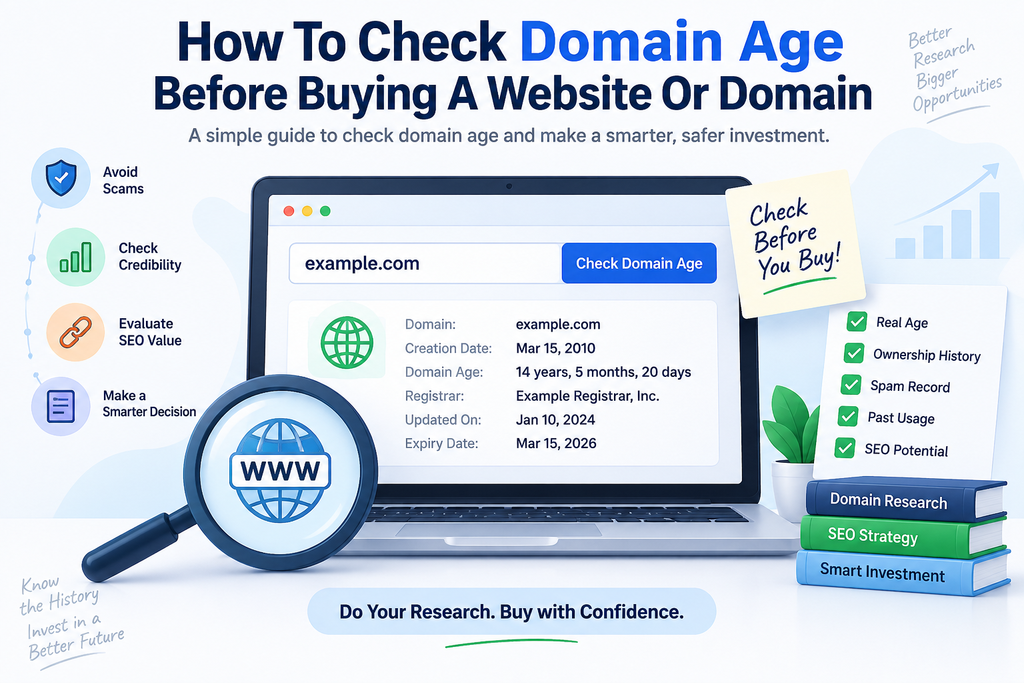
How to Check Domain Age Before Buying a Website or Domain
Buying a domain can look simple.
Find a good name, check whether it is available, compare the price, and purchase it.
But when the domain already has a history, things become more complicated.
An older domain may have years of backlinks, previous owners, archived content, search visibility, brand mentions, or technical history attached to it. Some of that history may be valuable.
Some of it may become a problem.
That is why checking domain age should be one of the first steps when researching an existing website, expired domain, backlink prospect, or online business.
A domain age check can tell you when the domain was registered and provide useful registration information before you invest money or build a project around it.
You can start with the RAAS Digital Domain Age & Info Checker to check a domain’s estimated age, creation date, registrar, expiry information, nameservers, DNS details, and other available registration data.
But domain age is only the beginning.
This guide explains what domain age means, how to check it, and—more importantly—how to use that information when deciding whether a domain is actually worth buying.
What Is Domain Age?
Domain age generally refers to the amount of time that has passed since a domain name was first registered according to available registration records.
For example, if a domain was registered on August 1, 2016 and you checked it in August 2026, its registration age would be approximately ten years.
A domain age checker typically retrieves the available creation or registration date and calculates how long the domain has existed.
Modern domain lookup tools increasingly rely on RDAP.
ICANN describes the Registration Data Access Protocol (RDAP) as the system used to access current domain registration information and the replacement for the traditional WHOIS protocol.
Depending on the registry and TLD, a domain lookup may provide information such as:
- creation date;
- registrar;
- expiration date;
- last updated date;
- domain status;
- nameservers;
- registration information.
Some information can be limited or unavailable depending on the domain extension and registry.
That is normal.
Check Domain Age Free
If you simply want to know how old a website’s domain is, you do not need to manually calculate it.
Enter the domain into the RAAS Digital Domain Age & Info Checker.
The tool is designed to provide a quick first-pass domain investigation using public registration and DNS information.
It can help identify:
- estimated domain age;
- registration or creation date;
- registrar;
- expiration date where available;
- nameservers;
- DNS information;
- domain status information;
- IP and technical details where available.
Try the free Domain Age Checker:
https://raasdigital.org/tools/
For basic research, this gives you much more useful context than knowing only that a domain is “old.”
Does Domain Age Matter for SEO?
This is where domain age is frequently misunderstood.
An older domain should not automatically be considered a stronger SEO domain.
A domain may be 15 years old and still have:
- almost no quality backlinks;
- no meaningful organic traffic;
- poor content;
- spam history;
- irrelevant backlinks;
- previous penalties or abuse;
- no established brand.
Meanwhile, a much newer website may have excellent content, strong topical authority, reputable links, and significant search traffic.
Google’s ranking systems use many different signals to determine which pages are relevant and useful. Google describes its ranking systems as using numerous page-level and site-level signals rather than relying on one simple characteristic.
So the better question isn’t:
“Is this domain old?”
It is:
“What happened to this domain during those years?”
That is where domain age becomes useful as a research signal.
Why Check Domain Age Before Buying a Domain?
There are several practical reasons.
1. Understand What You Are Actually Buying
Consider two domains.
Domain A
Registered six months ago.
No existing website.
No known history.
Domain B
Registered 12 years ago.
Previously operated as a business website.
Hundreds of backlinks point to it.
Archived versions exist.
These are very different assets.
Domain age gives you an initial indication that additional research may be necessary.
The older the registration, the more potential history there may be to investigate.
2. Research Expired Domains
Expired-domain buyers often look for established domains because an older domain may have accumulated useful assets over time.
Potential benefits can include:
- existing backlinks;
- brand mentions;
- citations;
- historical content;
- referral traffic;
- memorable branding.
But an old domain can also carry undesirable history.
Before purchasing an expired domain, investigate much more than its age.
Check:
- backlink quality;
- previous website content;
- spam signals;
- previous industries;
- anchor text;
- organic visibility;
- domain status.
The age tells you where to start, not whether you should buy.
Domain Age vs Domain History
These two terms should not be treated as identical.
Domain Age
Domain age tells you how long the current registration record indicates the domain has existed.
Domain History
Domain history looks at what happened during that period.
For example, a ten-year-old domain might previously have hosted:
- a legitimate SaaS company;
- an ecommerce store;
- a personal blog;
- a parked page;
- gambling content;
- spam pages;
- malware;
- several completely unrelated businesses.
From an SEO and acquisition perspective, the second question is usually more important.
A clean seven-year history can be more attractive than a messy twenty-year history.
How to Evaluate an Aged Domain Before Buying It
A proper domain acquisition review should use several checks.
Step 1: Check the Domain Registration Age
Start with the RAAS Digital Domain Age Checker.
Record:
- creation date;
- estimated age;
- registrar;
- expiry;
- nameservers;
- current status.
This gives you the basic registration profile.
If the domain is substantially older than expected, that tells you to investigate its previous use carefully.
Step 2: Review the Website’s Previous Niche
Suppose you want to purchase a domain for an accounting software company.
You discover the domain is 11 years old.
That sounds promising.
Then you find that it previously hosted an unrelated entertainment website.
The age has not disappeared, but the historical topical relevance may not help your project.
Ideally, look for a history related to:
- your industry;
- an adjacent industry;
- the same audience;
- a legitimate previous business.
Topical continuity usually makes an aged domain easier to understand and evaluate.
Step 3: Check Whether the Domain Still Has Organic Visibility
An old domain with no remaining visibility may not provide the advantage you expected.
Look for signs such as:
- ranking pages;
- indexed content;
- keyword footprint;
- organic traffic;
- branded searches;
- referring domains.
RAAS Digital’s Website Traffic Estimate Checker can be used as an additional first-pass check.
It combines crawlable SEO signals, Ahrefs DR where available, sitemap information, PageSpeed, on-page factors, and keyword footprint signals to estimate traffic potential.
Use the tools together:
Domain Age Checker → Website Traffic Estimate Checker
That immediately gives you more context than domain age alone.
Domain Age and Backlink Quality
One reason buyers are interested in older domains is backlinks.
A website that existed for ten years has had much more time to earn links than a site registered yesterday.
But again, time does not guarantee quality.
A ten-year-old domain could have links from:
- major publications;
- industry blogs;
- universities;
- business directories;
- niche resources;
or from:
- spam networks;
- irrelevant foreign sites;
- automated directories;
- link farms;
- hacked pages.
Those two backlink profiles should not be valued equally.
Check Spam Risk Before Paying for an Aged Domain
This is an important step that many buyers skip.
A domain can look impressive in an auction listing because it has:
- high DR;
- hundreds of referring domains;
- an old registration date.
But those numbers can hide serious problems.
Before paying, run it through the RAAS Digital Spam Score Checker.
The tool checks free spam-risk signals such as:
- suspicious domain patterns;
- HTTPS;
- content depth;
- external-link signals;
- indexing signals;
- sitemap signals;
- PageSpeed/SEO indicators;
- risky-topic keywords.
It is not Moz’s proprietary Spam Score and should not be treated as one.
Instead, it works as a screening tool to identify domains requiring deeper manual investigation.
A useful workflow is:
Domain Age → Traffic → Spam Risk → Backlinks → Manual Review
Should You Buy an Old Domain for SEO?
Sometimes.
But you should never buy a domain purely because it is old.
Consider this example.
Domain A
Age: 14 years
DR: 35
Traffic: almost zero
History: unrelated niches
Backlinks: questionable
Domain B
Age: 5 years
DR: 28
Traffic: healthy
History: relevant industry
Backlinks: legitimate niche publications
Which is better?
For many projects, Domain B would be the stronger acquisition despite being considerably younger.
That is why age should be treated as one component of a broader domain due diligence process.
How Old Should a Domain Be?
There is no ideal age.
A domain does not become “good” once it reaches five, ten, or twenty years.
Instead, use age as context.
Less Than 1 Year
Usually very little historical information exists.
This can be positive if you want a clean brand start.
1–5 Years
There may be enough history to examine content, links, and previous ownership.
5–10 Years
The domain may have accumulated more links, brand mentions, and archived content.
Investigate carefully.
10+ Years
A long registration history can be interesting, but it also gives the domain more time to accumulate both positive and negative signals.
Never assume “older = safer.”
Domain Age Checker for Backlink Prospecting
Domain age tools are not only useful when purchasing domains.
They can also help during link building.
Imagine you are considering paying for a guest post on two websites.
Both claim:
- DR 55;
- 20,000 monthly traffic;
- dofollow placement.
But one domain was registered ten years ago, while another appeared four months ago.
The newer domain is not automatically bad.
However, the difference should encourage further investigation.
A recently registered domain with unusually high metrics may deserve additional scrutiny.
Use the Domain Age Checker alongside other prospecting tools.
A practical workflow could look like:
- Check domain age.
- Identify the site’s industry.
- Review traffic signals.
- check DR.
- assess spam risk.
- compare topical relevance.
- manually review the actual article.
RAAS Digital already provides tools for several of these steps.
Check Website Industry Before Buying a Domain
Historical topical relevance matters when purchasing an aged domain or evaluating a backlink prospect.
For example, if you operate in cybersecurity, a previously established technology domain may be more relevant than an old domain historically used for recipes.
RAAS Digital’s Website Industry Finder can help classify a current website by:
- industry;
- sub-niche;
- audience;
- commercial intent;
- link-building category.
This is particularly useful when reviewing large lists of websites and domains.
Use it here:
https://raasdigital.org/tools/
Domain Age Checker for Link Builders
Link builders often receive large spreadsheets containing:
- domain;
- DR;
- traffic;
- price;
- niche.
Domain age is rarely included.
It should at least be checked when something looks unusual.
For example:
Site 1
DR 60
Domain age: 12 years
Established archive
Consistent niche
Site 2
DR 60
Domain age: 7 months
Hundreds of commercial posts
Unusual outbound-link patterns
The DR is identical.
The risk profile is not.
A domain age check gives you one more piece of evidence before approving a placement.
Bulk Domain Research
If you work in SEO outreach, you may review dozens or hundreds of websites each week.
Checking every domain manually becomes inefficient.
Start by filtering the list using measurable signals.
RAAS Digital’s Bulk Ahrefs DR & Niche Checker can help organize multiple prospects by estimated niche and DR.
Then investigate the highest-priority sites individually with:
- Domain Age & Info Checker;
- Spam Score Checker;
- Backlink Relevancy Score Checker;
- Website Traffic Estimate Checker.
This turns a large prospect sheet into a manageable shortlist.
Domain Age Checker for Website Acquisitions
Buying an existing website requires even more due diligence than purchasing a domain.
Before acquiring a content site, SaaS business, ecommerce store, or lead-generation website, verify the seller’s claims.
Domain age can help establish a basic timeline.
If a seller says:
“We’ve operated this business for nine years.”
but registration information indicates the domain is two years old, you have a reason to ask more questions.
There may be a perfectly legitimate explanation.
The business may have changed domains.
But important discrepancies should be investigated before payment.
Other information worth checking includes:
- historical revenue;
- analytics;
- Search Console;
- backlinks;
- traffic sources;
- domain ownership;
- content history;
- legal rights;
- trademarks;
- hosting arrangements.
Domain age will not verify the entire business.
It can help identify questions worth asking.
Domain Age Checker vs WHOIS Lookup
Historically, users often searched for a WHOIS domain age checker.
The ecosystem has changed.
ICANN states that RDAP became the definitive source for generic top-level domain registration information from January 28, 2025, replacing sunsetted WHOIS services for most gTLD registration-data access.
RDAP provides structured registration information and was specifically designed as the successor to WHOIS.
That is why modern domain research tools increasingly use RDAP data.
RAAS Digital’s Domain Age & Info Checker also uses public RDAP/domain lookup information where available.
Can Domain Age Data Ever Be Missing?
Yes.
Not every registry exposes identical data.
Some TLDs:
- limit certain information;
- redact fields;
- use different registration systems;
- may not return every date;
- may not expose the same registrar information.
So if a domain age checker cannot retrieve one field, that does not automatically mean the tool is broken.
The underlying registration source may not provide it publicly.
RAAS Digital therefore treats domain information as available public lookup data, rather than pretending every domain can return the same information.
Can Domain Age Tell You When a Website Was Created?
Not exactly.
This is another common misunderstanding.
A domain registration date and website launch date can be different.
For example:
Domain registered: 2015
Website launched: 2018
Business acquired domain: 2023
Current website launched: 2025
A domain age checker may tell you the registration age.
It cannot automatically prove how long the current website, company, or owner has existed.
Always distinguish:
domain age from website age.
Historical archives and company records may be necessary if you need to establish when the actual website began operating.
Domain Age Checklist Before Buying
Before purchasing an existing or expired domain, answer these questions.
Registration
- When was the domain created?
- When does it expire?
- Which registrar manages it?
- Does the status look normal?
History
- What type of website previously used the domain?
- Did the niche change?
- Was the domain parked?
- Was it used for spam?
SEO
- Does the domain have quality backlinks?
- Does it still rank?
- Does it receive organic traffic?
- Are branded queries associated with it?
Risk
- Does it have suspicious anchors?
- Are backlinks from unrelated niches?
- Does the site show spam signals?
- Has it been repeatedly repurposed?
Business
- Is the domain name brandable?
- Does it create trademark risk?
- Does it fit your intended market?
- Is the asking price justified?
Only after reviewing the full picture should you decide what the domain is worth.
Free Domain Research Tools from RAAS Digital
If you regularly evaluate websites, backlink prospects, domains, or SEO opportunities, you can use several RAAS Digital tools together.
Domain Age & Info Checker
Use it to check:
- domain age;
- creation date;
- registrar;
- expiry;
- nameservers;
- DNS;
- technical domain information.
Website Traffic Estimate Checker
Use it to evaluate:
- estimated traffic potential;
- DR where available;
- sitemap footprint;
- PageSpeed;
- on-page SEO;
- keyword signals.
Spam Score Checker
Use it to identify potentially risky websites before purchasing a placement or domain.
Website Industry Finder
Use it to determine whether a site’s niche matches your project.
Bulk DR & Niche Checker
Use it when reviewing large prospect lists.
Backlink Relevancy Score Checker
Use it before buying guest posts or link insertions to compare the source site’s topic with your target page.
All of these tools are available from the RAAS Digital free SEO tools library:
A Better Domain Due Diligence Workflow
For SEO professionals, website buyers, and digital marketers, I recommend this order.
1. Domain Age
Establish how long the domain has existed.
2. Domain History
Determine what previously existed there.
3. Niche
Check whether the domain’s historical and current topic fits your intended use.
4. Organic Traffic
Look for evidence that the domain has real search visibility.
5. Backlinks
Inspect the referring domains and anchor profile.
6. Spam Risk
Look for suspicious content and link patterns.
7. Commercial Value
Decide whether the domain’s history and existing assets justify the purchase price.
This process takes longer than reading one DR number.
It can also prevent significantly more expensive mistakes.
Is an Aged Domain Worth More?
Potentially.
An aged domain may command a higher price when its history includes assets such as:
- strong branding;
- quality backlinks;
- established traffic;
- relevant mentions;
- desirable keywords;
- industry recognition.
But the age itself should not be the reason for the premium.
Imagine someone offers you:
Domain X — 17 years old — $5,000
The age sounds impressive.
But if the domain has:
- no traffic;
- no valuable backlinks;
- no brand demand;
- no relevant history;
what exactly are you paying $5,000 for?
Compare that with:
Domain Y — 6 years old — $5,000
with:
- strong industry links;
- relevant historical content;
- existing branded searches;
- referral traffic.
Domain Y may offer far more commercial value.
That is why serious buyers investigate the asset rather than buying the age number.
Domain Age Checker for U.S. Businesses
U.S. businesses buying websites or domains often operate in competitive industries such as:
- SaaS;
- finance;
- ecommerce;
- legal services;
- cybersecurity;
- healthcare;
- home services;
- professional services.
A good domain can shorten the branding process and potentially bring existing digital assets with it.
A bad acquisition can introduce:
- irrelevant history;
- spam;
- weak links;
- branding problems;
- unnecessary cost.
Using a free domain age checker before making an offer is a simple due diligence step.
It takes seconds.
Correcting a poor domain acquisition can take months.
Final Thoughts
A domain’s age is useful.
But it is not a quality score.
The right way to use domain age is as the starting point for investigation.
Check:
- how old the domain is;
- what it was used for;
- whether the niche changed;
- whether it has real traffic;
- what kinds of sites link to it;
- whether spam signals exist;
- whether its history supports your intended use.
If you are considering buying an existing website, expired domain, aged domain, or backlink placement, start with the RAAS Digital Domain Age & Info Checker.
Then combine that information with traffic, niche, backlink, and spam checks before making a commercial decision.
Check any domain for free with RAAS Digital:
https://raasdigital.org/tools/
Frequently Asked Questions
What is a domain age checker?
A domain age checker retrieves available domain registration information and calculates approximately how long the domain has been registered.
How can I check domain age for free?
Enter the domain into the RAAS Digital Domain Age & Info Checker. It uses available public registration and RDAP information to provide the creation date, estimated age, registrar, expiry information, nameservers, DNS details, and other available fields.
Does domain age improve Google rankings?
Domain age should not be treated as a standalone ranking advantage. Google uses numerous signals and ranking systems to evaluate pages. Older domains may have accumulated valuable content, backlinks, and reputation, but those assets need to be evaluated separately.
Is an old domain better than a new domain?
Not necessarily. A new domain with strong content and reputable backlinks can be a better asset than an old domain with poor history or spammy links.
How do I find when a domain was registered?
A domain age or RDAP lookup can return the available creation or registration date from the relevant registration data source.
What is RDAP?
RDAP stands for Registration Data Access Protocol. ICANN describes it as the modern protocol used to access current domain registration data and the replacement for traditional WHOIS services.
Should I check domain age before buying an expired domain?
Yes. Domain age provides useful context, but you should also investigate historical content, backlinks, traffic, niche relevance, spam signals, and previous use before purchasing.
Can I use domain age when checking backlink sites?
Yes. Domain age can provide an additional screening signal when reviewing guest-post or link-insertion opportunities, especially when other metrics appear unusual.
What else should I check besides domain age?
Check organic traffic, backlink quality, previous website content, niche relevance, spam signals, domain status, and technical information before making a buying decision.