
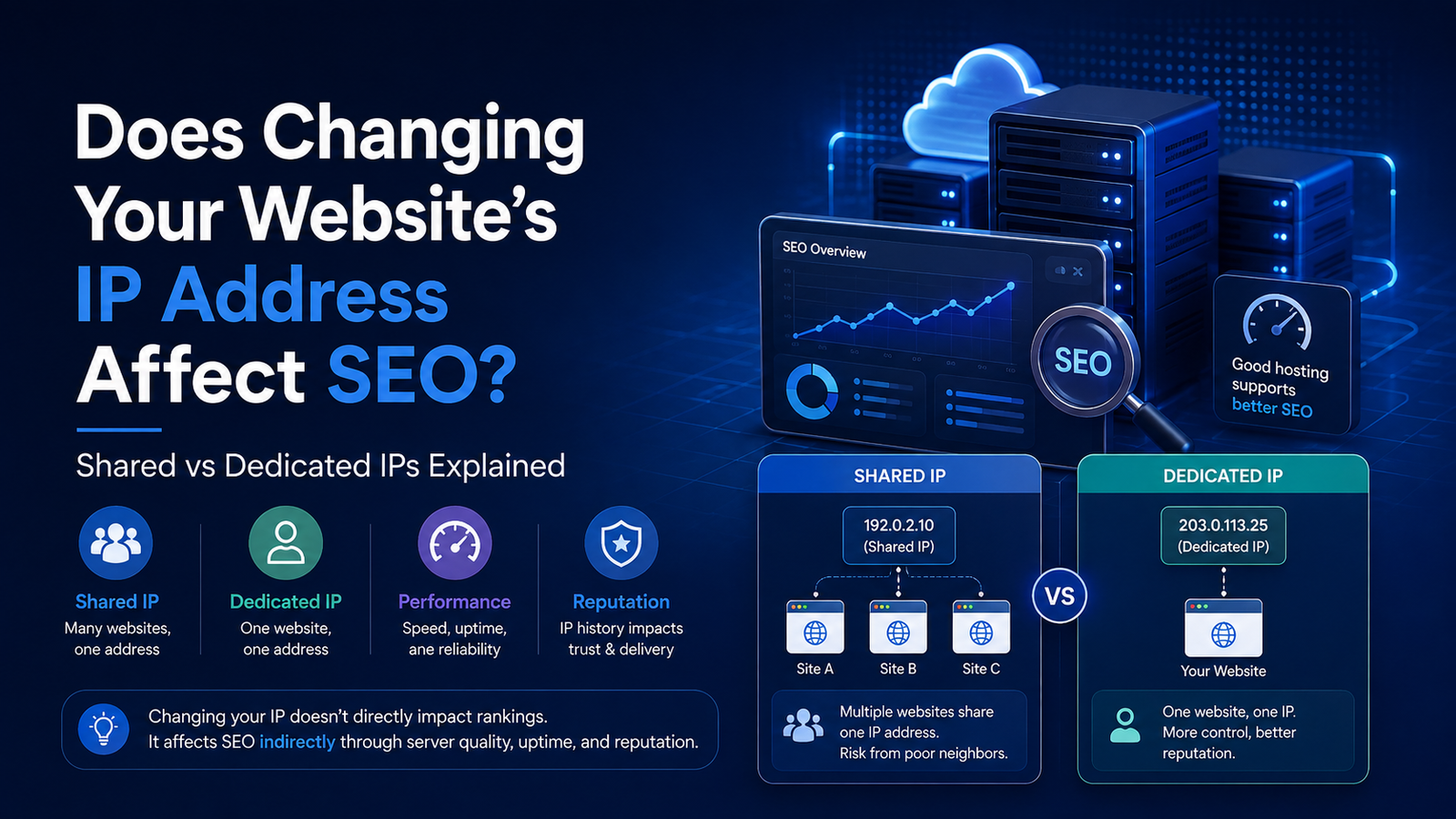
Does Changing Your Website’s IP Address Affect SEO? Shared vs Dedicated IPs Explained
Changing a website’s IP address can sound risky, especially when the site already receives organic traffic.
Business owners commonly worry that moving to a new web host, switching from shared hosting to a VPS, enabling a content delivery network, or changing cloud providers will cause Google rankings to decline.
The reassuring answer is:
Changing a website’s IP address does not normally harm SEO by itself.
The greater risk comes from what happens during the infrastructure change. Rankings and organic traffic can be affected when a migration creates downtime, blocks Googlebot, changes URLs, removes content, breaks HTTPS, produces server errors, or causes DNS problems.
Google’s official guidance for changing hosting providers focuses on maintaining access to the same website, testing the new infrastructure, updating DNS, ensuring Googlebot can crawl the new server, and monitoring the transition. It does not instruct website owners to preserve the old IP address. This supports the conclusion that the IP change itself is not the main SEO concern; implementation quality is.
This guide explains how website IP addresses relate to SEO, when shared and dedicated IPs matter, how to migrate safely, and when a business may benefit from controlling its own IPv4 address space.
Quick Answer: Does a Website IP Address Affect SEO?
A website’s IP address is not generally something a business needs to optimize as a direct ranking factor.
Google primarily evaluates pages and websites based on factors such as:
- Content relevance and usefulness
- Crawlability
- Indexability
- Website quality
- Internal and external links
- Page experience
- Mobile usability
- Security
- Technical reliability
- Search intent satisfaction
An IP address can indirectly influence SEO when it is connected to a wider technical issue.
Examples include:
- The new server is slow.
- The website becomes unavailable.
- Googlebot is blocked by a firewall.
- HTTPS stops working.
- DNS records are incorrect.
- The new host returns frequent server errors.
- Important content was not copied during the migration.
- The staging website remains set to noindex.
- The new infrastructure cannot handle crawling or visitor traffic.
In these situations, the problem is not simply that the IP address changed. The problem is that users or search engines can no longer access the website reliably.
What Is a Website IP Address?
An Internet Protocol address identifies a device or service on a network.
When a visitor enters a domain name such as example.com, the Domain Name System translates that domain into the IP address used to reach the server or network delivering the website.
A website may use:
- A shared IPv4 address
- A dedicated IPv4 address
- An IPv6 address
- Several addresses behind a load balancer
- A CDN’s distributed IP addresses
- Different addresses depending on the visitor’s location
- Cloud-provider addresses
- An organization’s own address space through BYOIP
The IP address visible to the public may not be the address of the website’s origin server. Services such as CDNs, reverse proxies, security platforms, and load balancers can sit between visitors and the underlying hosting infrastructure.
Does Changing Your Website’s IP Address Hurt Rankings?
A correctly managed IP change should not cause a lasting ranking loss.
When moving hosting infrastructure without changing the public URLs, Google recommends:
- Preparing and testing the new hosting environment
- Confirming Googlebot can access it
- Lowering DNS time-to-live before migration
- Removing temporary crawl or indexing blocks
- Updating DNS records
- Monitoring traffic and crawling
- Keeping the old infrastructure available during propagation
- Shutting down the old host only after traffic has moved
Google notes that a temporary change in crawl rate is normal after switching hosting infrastructure. Crawl activity may initially fall and then rise again as Google evaluates the new environment.
This temporary crawl fluctuation does not necessarily indicate an SEO penalty.
Problems arise when the new server is slower, unavailable, misconfigured, or unable to return the same content.
Shared IP vs Dedicated IP for SEO
One of the most persistent hosting myths is that every website needs a dedicated IP address to rank well.
That is not generally true.
Large numbers of legitimate websites use:
- Shared hosting
- Cloud platforms
- Reverse proxies
- Shared CDN addresses
- Managed WordPress platforms
- Distributed infrastructure
Search engines must be able to evaluate websites individually because sharing network infrastructure is a normal part of the modern internet.
Shared IP address
A shared IP address is used by multiple websites or customers.
This is common with:
- Shared web hosting
- Managed WordPress hosting
- SaaS website builders
- CDNs
- Reverse-proxy services
- Cloud load balancers
Dedicated IP address
A dedicated IP is assigned to one customer, server, account, or workload.
It can be useful when a business needs:
- IP-based access controls
- A fixed endpoint
- Custom server applications
- Direct server access
- Reverse DNS
- Email infrastructure
- Allowlisting by partners
- Specific certificate or legacy-software support
- Greater control over network reputation
- Business continuity across infrastructure providers
SEO comparison
| Factor | Shared IP | Dedicated IP |
| Direct ranking advantage | None established | None established |
| Cost | Usually lower | Usually higher |
| Hosting flexibility | Provider controlled | Greater control |
| IP reputation control | Shared in some use cases | Primarily controlled by one customer |
| IP allowlisting | Less practical | Suitable |
| Direct server access | Limited | More practical |
| Email reputation | May be shared | More controllable |
| Website performance | Depends on infrastructure | Depends on infrastructure |
| Best for | Standard websites | Specialized business requirements |
A dedicated IP should be purchased because it solves an infrastructure or operational requirement—not because of a promise that it will automatically improve Google rankings.
Does a Dedicated IP Improve SEO?
A dedicated IP does not make content more relevant, improve backlinks, repair technical errors, or satisfy search intent.
It cannot compensate for:
- Weak content
- Poor internal linking
- Irrelevant backlinks
- Slow application code
- Duplicate pages
- Broken canonical tags
- Bad mobile usability
- Missing redirects
- Poor website architecture
However, dedicated infrastructure may indirectly support SEO when it provides:
- More predictable server resources
- Better reliability
- Greater configuration control
- Improved application performance
- Stronger account isolation
- Easier monitoring
- Better support for traffic growth
These benefits come from the hosting environment and resource allocation—not simply from the IP being dedicated.
A shared server can perform very well, while a poorly managed dedicated server can remain slow or insecure.
Can a Bad Neighbor on a Shared IP Hurt SEO?
Business owners sometimes worry that sharing an IP with a spam, gambling, adult, or malicious website will automatically cause a penalty.
For ordinary websites on reputable shared hosting or CDN infrastructure, search engines generally need to distinguish between independent sites using the same network resources.
A neighboring website does not control your:
- Content
- Domain
- backlinks
- Search Console property
- Internal links
- Structured data
- User experience
The more realistic shared-hosting concerns are:
- Resource competition
- Weak security isolation
- Slow server response
- Repeated downtime
- Outbound email reputation
- Poor abuse management by the provider
- Limited configuration control
In extreme cases, a hosting platform overwhelmed by spam and abuse can face broader trust or security problems. However, this is different from assuming that one unrelated website on a shared IP will damage every other customer.
Choose a reputable provider with clear abuse policies, security controls, monitoring, and resource management.
Website IP Reputation vs Email IP Reputation
IP reputation matters differently for websites and email systems.
Website IP reputation
Website-related reputation concerns may include:
- Malware hosting
- Phishing
- command-and-control activity
- Fraud
- Bot activity
- DDoS attacks
- Security blocklists
- Firewall rules
- Geo-location inaccuracies
An IP with a problematic history may create operational issues, especially with security platforms, business partners, APIs, or corporate networks.
That does not mean the website will automatically receive an organic ranking penalty solely because the address was previously used by someone else.
The practical risks may include:
- Visitors receiving security warnings
- Corporate networks blocking access
- Third-party services rejecting requests
- Incorrect IP geo-location
- Reputation cleanup work
- Email delivery problems
- Increased fraud-screening challenges
Email IP reputation
Email systems rely more directly on sending-IP and domain reputation.
A dedicated sending IP can be valuable for high-volume email programs because the business has greater control over:
- Sending patterns
- Complaint rates
- Bounce rates
- Authentication
- Spam reports
- Warming
- Blocklist status
A dedicated website IP and a dedicated email-sending IP are not necessarily the same thing.
Businesses should avoid treating web-hosting SEO and email deliverability as one identical issue.
Static IP vs Dynamic IP for a Business Website
A static IP remains assigned to the same service unless it is intentionally changed.
A dynamic IP may change based on provider allocation or infrastructure events.
Most professional website hosting environments provide a stable address or abstract address changes behind DNS, load balancing, or CDN services.
A static address can be useful for:
- Firewall allowlisting
- API access
- Partner integrations
- Remote administration
- VPN endpoints
- Direct server connections
- DNS records
- Monitoring
- Reverse DNS
- Self-hosted services
For SEO, the more important question is whether the website remains consistently available through the same public URLs.
A website can operate successfully behind changing or distributed infrastructure as long as DNS, content delivery, crawling, and user access remain reliable.
Can Changing Web Hosts Affect SEO?
Yes, changing web hosts can affect SEO—but mainly when the migration is performed badly.
A hosting migration may involve:
- A new IP address
- New DNS records
- Different server software
- New PHP versions
- A new database configuration
- Changed caching
- Different HTTPS certificates
- New firewall rules
- Changed CDN settings
- Different server locations
Any of these changes can create problems if they are not tested.
Common migration problems
Downtime
If the new server is not ready before DNS is changed, visitors and search crawlers may encounter errors.
Missing content
Pages, images, documents, database records, or redirects may be excluded from the migration.
Staging restrictions
The new website may still contain:
- noindex tags
- Password protection
- IP restrictions
- A blocked robots.txt file
- Development URLs
- Staging canonical tags
Broken HTTPS
Incorrect certificates or mixed-content errors can disrupt access.
Server errors
The new infrastructure may produce:
- 500 Internal Server Error
- 502 Bad Gateway
- 503 Service Unavailable
- 504 Gateway Timeout
Performance decline
The new server may have less CPU, memory, database capacity, or storage performance.
DNS propagation issues
Some users may continue reaching the old server while others reach the new one.
How to Change a Website’s IP Without Losing Rankings
Use this checklist when changing hosting providers or server addresses.
Before migration
- Create a complete backup.
- Crawl the existing website.
- Export all current URLs.
- Record existing status codes.
- Save redirect rules.
- Save robots.txt.
- Record canonical tags.
- Confirm Search Console ownership.
- Record analytics configuration.
- Lower DNS TTL several days before migration.
- Create the new hosting environment.
- Copy all files and databases.
- Install HTTPS.
- Test forms, checkout, login, images, and downloads.
- Test the website through a temporary hostname or local hosts-file entry.
Google recommends lowering DNS TTL before the migration so updated records can propagate more quickly.
During migration
- Remove temporary noindex settings.
- Remove unintended crawl restrictions.
- Confirm the production domain returns the correct content.
- Update DNS records.
- Keep the old server online.
- Monitor both old and new server logs.
- Check important URLs manually.
- Test from several U.S. locations.
- Confirm Googlebot access through Search Console.
- Monitor uptime and server errors.
After migration
- Check Search Console indexing reports.
- Monitor crawl activity.
- Confirm analytics tracking.
- Check Core Web Vitals.
- Test structured data.
- Check canonical tags.
- Verify redirects.
- Review server logs.
- Monitor organic traffic and conversions.
- Keep the old hosting active until requests have fully moved.
Google recommends keeping the old infrastructure available until server logs show that users and crawlers are no longer reaching it.
Do You Need to Change URLs When the IP Changes?
No.
A normal hosting migration should keep the same:
- Domain name
- URL paths
- page content
- Internal links
- Canonical URLs
- Metadata
- Structured data
Only the DNS records need to point the domain toward the new infrastructure.
Changing the IP address is not the same as changing the domain.
For example:
- example.com/services/seo/ remains the same URL.
- The server answering the request changes.
- The visitor usually never sees the IP address.
Avoid combining a hosting migration with a domain change, CMS migration, website redesign, and complete URL restructure unless there is a strong reason.
Multiple simultaneous changes make it harder to diagnose traffic losses.
Does Server Location Affect SEO?
Server location may influence latency, but it should not be treated as a shortcut for ranking in a particular country.
A U.S. business should prioritize:
- Fast access for American visitors
- Reliable infrastructure
- Strong network connectivity
- U.S.-focused content
- U.S. business information
- Relevant local or national backlinks
- Correct language and terminology
- Appropriate location pages
- Clear pricing and service availability
A CDN can serve cached content from several regions even when the origin server is located elsewhere.
The best infrastructure location depends on:
- User distribution
- Application requirements
- Compliance
- Data residency
- Network performance
- Cloud architecture
- Disaster recovery
Moving an origin server into the United States will not automatically make a website rank for U.S. keywords.
When Does a Business Actually Need a Dedicated IP?
A dedicated address may make commercial sense when the organization requires:
IP allowlisting
Business partners may only accept requests from approved IP addresses.
Private APIs
A stable IP can support access restrictions for internal or partner APIs.
Remote access
Teams may use a dedicated endpoint for VPNs, administration, or private applications.
Email infrastructure
High-volume email systems may require independent reputation and reverse DNS.
Legacy applications
Older software may depend on IP-based configurations.
Custom networking
The company may need specific routing, BGP, reverse DNS, or firewall control.
Business continuity
A provider-controlled address can create migration friction when changing infrastructure.
Multi-cloud deployment
Organizations may want consistent address space across cloud platforms or bare-metal infrastructure.
In these cases, IP control is an operational requirement—not an SEO trick.
What Is BYOIP?
BYOIP means Bring Your Own IP.
It allows an organization to use IPv4 or IPv6 address space it controls on a supported cloud or hosting platform.
AWS, for example, allows businesses to bring publicly routable address ranges into Amazon EC2. The organization continues controlling the address range while AWS advertises it through its infrastructure.
Potential BYOIP benefits include:
- Infrastructure portability
- Consistent public addresses
- Reduced dependence on provider-owned IPs
- Easier migration between environments
- Continued IP allowlisting
- Greater control over reputation
- Multi-cloud flexibility
- Business continuity
- Custom routing options
BYOIP normally involves larger address blocks rather than one individual website IP. A globally routable /24 contains 256 IPv4 addresses and is commonly the smallest prefix accepted for public BGP announcements.
Prefixx supports BYOIP-ready IPv4 blocks and provides documentation such as LOA, RPKI records, and route objects for deployment on supported cloud and bare-metal platforms.
IPv4 Leasing vs Buying
Organizations that need portable IPv4 address space can either purchase a block or obtain it through a contractual lease.
Leasing IPv4 addresses
Leasing can provide:
- Lower upfront cost
- Faster deployment
- Predictable operating expense
- Shorter commitment
- Scalability
- Access to larger blocks without a capital purchase
It is generally suitable for:
- Growing SaaS platforms
- Hosting companies
- VPN services
- Cybersecurity companies
- Cloud deployments
- Data platforms
- Networks with temporary demand
- Businesses testing BYOIP
Organizations that need scalable and portable address resources may decide to lease IPv4 address space rather than purchasing a block immediately.
Prefixx states that its leased blocks can include LOA documentation, RPKI support, reverse DNS, geo-location correction, blacklist monitoring, and IP reputation assistance.
Buying IPv4 addresses
Purchasing may provide:
- Long-term ownership
- An infrastructure asset
- Greater strategic control
- No recurring lease renewal
- Potential resale value
- Long-term deployment certainty
It may be better suited to organizations with:
- Stable long-term requirements
- Available capital
- Established network teams
- Large permanent workloads
- Multi-year infrastructure plans
Lease vs buy comparison
| Consideration | Lease IPv4 | Buy IPv4 |
| Upfront cost | Lower | Higher |
| Ownership | No | Yes |
| Deployment speed | Usually faster | Transfer process required |
| Flexibility | High | Lower after purchase |
| Long-term asset | No | Yes |
| Best for | Changing or short-term demand | Permanent infrastructure demand |
| Financial treatment | Operating expense | Capital expenditure |
| Exit process | End lease | Sell or transfer block |
Neither option improves SEO rankings merely because the business controls more IP addresses.
The value comes from infrastructure control, portability, reputation management, and operational continuity.
Why IPv4 Addresses Have Commercial Value
IPv4 uses a limited 32-bit address space.
ARIN issued the final addresses from its free IPv4 pool in September 2015. Organizations that still require IPv4 resources may use wait lists, provider assignments, leases, or the transfer market.
Public cloud providers have also begun charging directly for IPv4 usage.
AWS introduced a charge of $0.005 per public IPv4 address per hour, applying to in-use and idle addresses across multiple services. AWS does not apply this charge to addresses customers own and bring through BYOIP.
For one website, this may be a small operating expense. For platforms using hundreds or thousands of public addresses, it becomes a meaningful commercial consideration.
This is why IPv4 strategy is increasingly connected to:
- Cloud cost optimization
- Network portability
- Asset management
- Security
- Business continuity
- Mergers and acquisitions
- Infrastructure planning
- IPv6 adoption
Does Changing an IP Affect Local SEO?
Changing the hosting IP does not normally require updates to:
- Google Business Profile
- Business citations
- NAP information
- Local directories
- Location pages
Local SEO relies much more heavily on the business’s actual:
- Name
- Address
- Phone number
- Service area
- Google Business Profile
- Reviews
- Local relevance
- Website content
- Links
- Prominence
Do not confuse the website server’s IP address with the company’s physical business location.
A New York business can host its website in another state or use a globally distributed CDN without changing its official business address.
Does Changing an IP Affect Backlinks?
Backlinks normally point to a domain or URL—not directly to the server IP.
For example, a backlink may point to:
As long as:
- The URL remains the same
- DNS resolves correctly
- The page returns successfully
- Content remains available
- HTTPS works
- Redirects are preserved
the backlink should continue working after the IP changes.
You do not need to contact every referring website when changing hosting providers.
Does Changing an IP Affect Domain Authority?
Domain Authority, Domain Rating, and similar third-party metrics are calculated mainly from link data and proprietary formulas.
A hosting IP change should not automatically remove backlinks or reset the domain’s authority.
Metrics may change if the migration causes:
- Lost pages
- Broken redirects
- Long downtime
- Removed content
- Incorrect canonical tags
- A changed domain
- Blocked crawling
Again, these are migration failures—not consequences of receiving a different IP address.
Common IP Address and SEO Myths
Myth 1: Every website needs a dedicated IP to rank
A dedicated IP may support technical requirements, but it is not a substitute for content quality and authority.
Myth 2: Shared IPs automatically create penalties
Shared hosting, cloud platforms, and CDNs are common. Evaluate the website itself and the quality of the infrastructure.
Myth 3: A U.S. IP guarantees U.S. rankings
U.S.-focused content, services, links, and user relevance matter more.
Myth 4: Changing hosts always causes a traffic drop
A carefully managed migration can be completed without a lasting organic decline.
Myth 5: Buying several IPs creates stronger SEO websites
Using different IPs does not turn low-quality or interconnected websites into independent authoritative resources.
Myth 6: A dedicated IP automatically improves speed
Performance depends on CPU, memory, storage, application code, caching, database configuration, and network quality.
Myth 7: IP reputation only matters for spam email
IP reputation can also affect APIs, firewalls, corporate networks, security platforms, geo-location, and web access.
Website IP and Hosting Evaluation Checklist
Before selecting hosting or changing IP addresses, review:
SEO continuity
- Will all URLs remain unchanged?
- Will redirects be preserved?
- Will canonical tags remain correct?
- Will Search Console verification continue working?
- Will the same content be available?
- Are staging restrictions removed?
Performance
- Is server response time acceptable?
- Are CPU and RAM sufficient?
- Is NVMe or fast storage used?
- Can the environment handle traffic spikes?
- Is caching available?
- Is CDN integration supported?
Reliability
- What uptime history is available?
- Is infrastructure redundant?
- Are backups stored separately?
- How quickly can the provider restore service?
- Is DDoS protection included?
IP management
- Is the IP shared or dedicated?
- Is IPv4 included in the price?
- Is reverse DNS available?
- Has the IP been checked for reputation problems?
- Can the address move with the business?
- Is BYOIP supported?
- Are additional addresses available?
Migration
- Can the old and new servers run simultaneously?
- Can DNS TTL be lowered?
- Is migration support included?
- Are server logs available?
- Can Googlebot access the new environment?
- Are rollback procedures documented?
Final Verdict
Changing a website’s IP address does not normally harm SEO on its own.
The main risks come from:
- Downtime
- Server errors
- Slow performance
- DNS problems
- Blocked crawling
- Missing content
- Broken HTTPS
- Incorrect redirects
- Staging restrictions
- Poor migration planning
A shared IP is sufficient for most business websites. A dedicated IP becomes valuable when the business needs fixed endpoints, allowlisting, reverse DNS, custom applications, email infrastructure, or greater network control.
Larger organizations may go further by leasing or purchasing IPv4 address blocks and deploying them through BYOIP. This can improve infrastructure portability and reduce dependence on addresses assigned by one cloud or hosting provider.
The correct IP strategy should be based on technical and commercial requirements—not SEO myths.
For SEO continuity, focus on keeping URLs stable, content accessible, servers reliable, and Googlebot unblocked throughout the migration.
Frequently Asked Questions
Does changing a website’s IP address affect Google rankings?
Not normally. Rankings are more likely to be affected when the change causes downtime, slower performance, blocked crawling, server errors, or missing content.
Does a dedicated IP improve SEO?
A dedicated IP does not directly improve rankings. It can provide operational benefits such as allowlisting, reverse DNS, direct access, and greater reputation control.
Is a shared IP bad for SEO?
Shared IPs are common across hosting providers, CDNs, and cloud platforms. The more important issues are reliability, security, performance, and provider quality.
Can changing web hosts reduce organic traffic?
Yes, when the migration is handled incorrectly. Proper testing, DNS planning, crawl monitoring, HTTPS configuration, and server capacity reduce the risk.
Should I keep the old IP address after migrating?
It is generally not necessary when the domain, URLs, and content remain unchanged. Keep the old server online during DNS propagation, but the permanent IP can change.
How long should the old hosting stay active?
Keep it active until server logs show that users and crawlers are no longer reaching the old infrastructure. Google recommends monitoring both environments before shutting the old one down.
Does an IP address affect local SEO?
The hosting IP is different from the business’s physical address. Local rankings depend more on business relevance, location, Google Business Profile, citations, reviews, content, and links.
Does a U.S. server IP help rank in the USA?
A U.S. server may reduce latency for American visitors, but it does not guarantee U.S. rankings. Content relevance and market signals are more important.
What is BYOIP?
BYOIP allows an organization to deploy its own address block on a supported cloud or hosting platform while retaining control over the address space.
Should a business lease or buy IPv4 addresses?
Leasing is more flexible and requires less upfront capital. Buying can be more suitable for long-term permanent requirements and gives the organization ownership of the asset.
Can leased IPv4 addresses be used with BYOIP?
Yes, provided the address block, documentation, routing authorization, and cloud-provider requirements are satisfied. Prefixx supports leased blocks with LOA and RPKI documentation for supported deployments.
Recommended Internal Links for RaasDigital
Link this article to:
- How web hosting affects SEO
- VPS hosting for SEO agencies
- Technical SEO checklist
- Website traffic estimator
- Website industry finder
- Domain age checker
- Off-page SEO mistakes
- SEO agency pricing in the USA
- Web hosting and SaaS comparisons
Recommended Supporting Articles
- Shared IP vs Dedicated IP: Which Does Your Business Need?
- How to Change Web Hosting Without Losing SEO Traffic
- Does Server Location Affect SEO in the USA?
- What Is BYOIP and When Does a Business Need It?
- IPv4 Leasing vs Buying: Costs and Use Cases
- How to Check an IP Address Before Moving Your Website
- Dedicated IP Benefits for SaaS and Ecommerce Businesses
- Website Migration SEO Checklist
- How DNS Changes Affect Website Traffic and SEO
- IPv4 vs IPv6 for Business Websites