
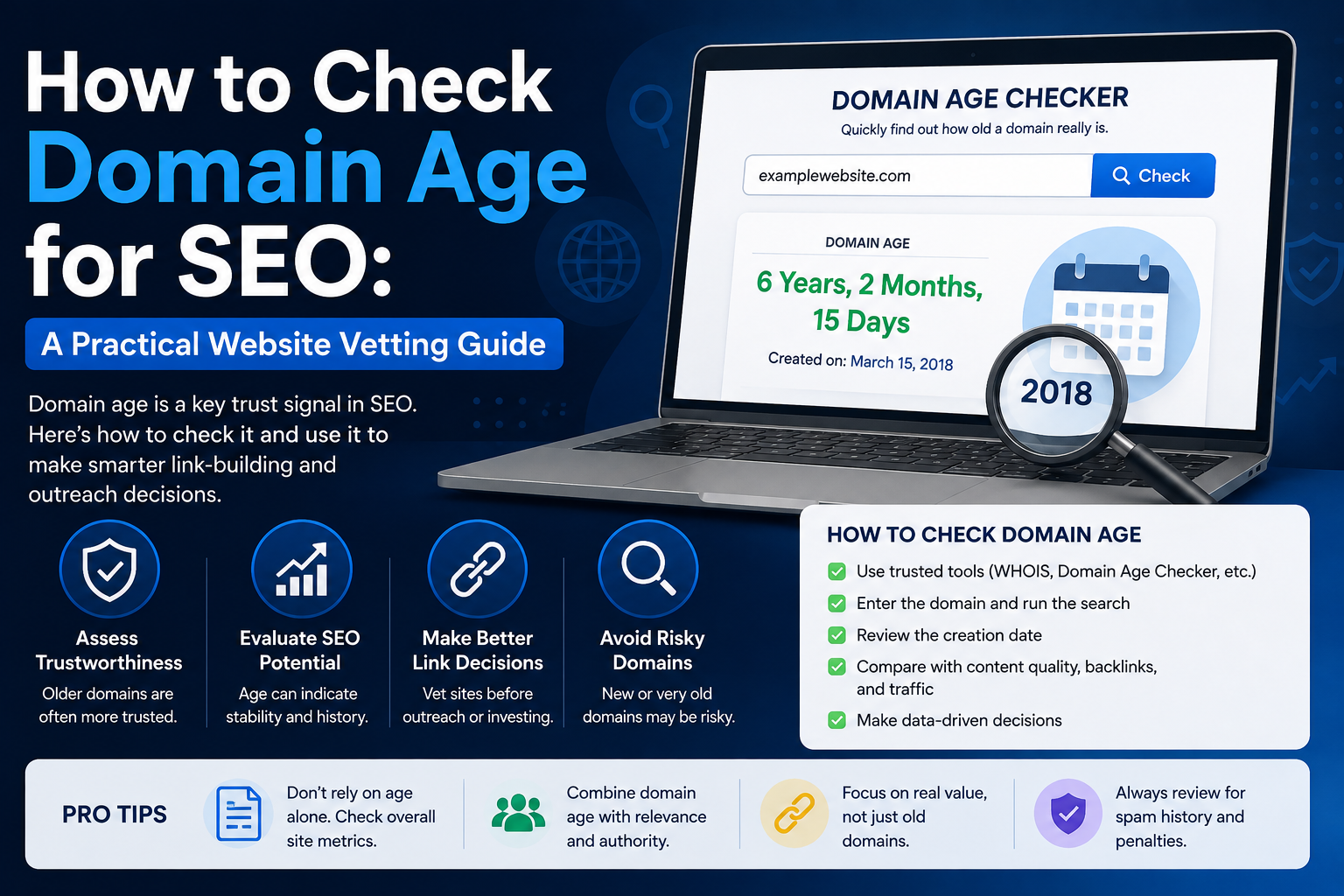
How to Check Domain Age for SEO: A Practical Website Vetting Guide
Before you trust a website, buy a backlink, pitch a guest post, analyze a competitor, or consider purchasing an expired domain, there is one simple question worth asking:
How old is this domain?
A domain’s age does not automatically tell you whether a website is good or bad. However, checking domain age can provide useful context about a website’s history, longevity, and potential SEO profile.
That is why checking domain age for SEO works best as the first step in a broader website evaluation rather than as a ranking metric on its own.
In this guide, you will learn how to check domain age, what the date actually means, how domain age differs from website age, and how SEO professionals can use this information when researching backlinks and websites.
What Is Domain Age?
Domain age is the amount of time that has passed since a domain name was registered.
For example, if a domain was registered in July 2018 and you checked it in July 2026, its registration age would be approximately eight years.
A domain age lookup may also reveal information such as:
- Domain creation date
- Registrar
- Expiration date
- Domain status
- Nameservers
- DNS information
- Last updated date
These details can help you understand more about the domain behind a website.
However, there is an important distinction many people overlook:
Domain age and website age are not always the same thing.
Domain Age vs Website Age
Suppose someone registered a domain in 2014 but did not launch an actual website until 2020.
The domain may be 12 years old in 2026, while the website itself has only existed for about six years.
The opposite situation can also become complicated when a domain expires, changes ownership, gets redirected, or is rebuilt for an entirely different topic.
That is why SEO research should consider both:
Domain registration age — when the domain name was registered.
Website history — what content and businesses actually operated on that domain over time.
When performing serious SEO due diligence, neither number should be used in isolation.
How to Check Domain Age for SEO
The easiest method is to use a domain age checker that retrieves registration information automatically.
You normally only need to enter the root domain, such as:
example.com
The tool can then retrieve available registration information and calculate approximately how long the domain has been registered.
RAAS Digital provides a Domain Age & Info Checker that can be used for this type of research.
[INTERNAL LINK: Link “Domain Age & Info Checker” to the RAAS Digital Tools page]
The tool can help you review available information including domain age, registration dates, registrar details, nameservers, DNS information, and domain status.
Modern registration lookups increasingly rely on RDAP. ICANN made RDAP the definitive registration-data source for generic top-level domains beginning January 28, 2025, replacing the traditional WHOIS requirement for most gTLD registration lookups.
For SEOs, that means older tutorials that tell you to rely exclusively on WHOIS may now be outdated.
What Does a Domain Age Checker Actually Tell You?
A domain age checker answers a relatively narrow question:
When was this domain registered?
That information is useful, but it does not automatically tell you:
- Whether the site has good backlinks
- Whether it receives organic traffic
- Whether Google trusts it
- Whether its content is high quality
- Whether it was previously used for spam
- Whether its current niche matches its previous niche
- Whether it is a good backlink opportunity
Think of domain age as a clue rather than a final verdict.
A seven-year-old website with useful content, consistent history, relevant links, and genuine organic visibility may be a valuable prospect.
Another seven-year-old domain may have spent six years parked before being converted into a low-quality guest-post site.
Their domain ages look identical.
Their SEO value does not.
Does Domain Age Matter for SEO?
This is where domain age is commonly misunderstood.
An older registration date should not be treated as an automatic ranking advantage.
Instead, older websites have simply had more time to potentially build assets such as:
- Relevant backlinks
- Indexed content
- Brand mentions
- Search visibility
- Returning visitors
- Topical coverage
- Online reputation
The important word is potentially.
Age creates time for authority to develop. It does not create authority automatically.
A newer website with excellent content and legitimate backlinks can outperform an older site that has weak content, little authority, or a poor history.
For that reason, asking:
“How old is this domain?”
is useful.
But asking:
“What has this domain actually built during that time?”
is much more important.
Why Domain Age Is Useful When Checking Backlink Opportunities
Domain age becomes particularly useful during backlink prospecting.
Imagine you are comparing two websites for a link placement.
Website A
- Registered eight years ago
- Consistently covered cybersecurity
- Has relevant indexed content
- Receives search traffic
- Has legitimate backlinks
- Publishes content regularly
Website B
- Registered nine years ago
- Previously contained unrelated content
- Changed niches several times
- Has little search visibility
- Publishes large numbers of unrelated sponsored articles
Website B is technically older.
But Website A is probably the more attractive SEO prospect.
That is why checking domain age before buying backlinks should be part of a larger qualification process rather than the entire process.
A Better Way to Vet Websites for SEO
Instead of asking whether a domain is simply “old enough,” evaluate several signals together.
1. Check the Domain Age
Start by finding the registration date.
This gives you an initial timeline for further investigation.
If a website claims to have operated since 2005 but its domain was registered in 2024, that discrepancy deserves additional research.
However, remember that companies sometimes change domains, so the age difference alone does not prove anything dishonest.
2. Review the Domain’s Historical Topic
The next question should be:
What used to exist on this domain?
Historical web archives can help reveal previous versions of a site.
Look for major changes such as:
- Technology blog becoming a casino site
- Local business becoming a guest-post marketplace
- Education site becoming a cryptocurrency site
- Expired domain being rebuilt around an unrelated niche
A change does not automatically make a domain bad.
But dramatic niche changes deserve closer inspection.
3. Check Current Organic Visibility
An old domain with no meaningful visibility should not automatically receive a high SEO-quality rating.
Look at whether the website currently appears to have:
- Indexed pages
- Useful content
- Topical coverage
- Search visibility
- Healthy site architecture
RAAS Digital’s website analysis tools can provide another layer of screening after you check the domain’s age.
[INTERNAL LINK: Link “website SEO checker” to the RAAS Digital Website SEO Checker page]
This creates a much more useful workflow than relying on domain age alone.
4. Look at Relevance
For link building, relevance frequently matters more than age.
If your website sells cloud infrastructure services, a relevant cybersecurity, hosting, networking, SaaS, or technology publication may make contextual sense.
An older website about weddings would normally be much less relevant.
This is especially important when evaluating link insertions.
A backlink should fit naturally within:
- The donor site’s niche
- The source article
- The surrounding paragraph
- The destination page
- The anchor text
Domain age cannot compensate for poor relevance.
5. Check for Spam-Risk Signals
Older domains can still have questionable histories.
Look for signs such as:
- Large numbers of unrelated outbound links
- Casino or gambling content mixed into unrelated niches
- Thin AI-generated pages
- Sudden niche changes
- Hundreds of sponsored articles
- Aggressive exact-match anchor usage
- Poor-quality directories
- Indexed spam pages
- Suspicious redirects
RAAS Digital already provides additional guidance on checking and fixing domain spam signals.
[INTERNAL LINK: Link “checking and fixing domain spam signals” to the existing RAAS Digital spam-score article]
Combining domain age and spam-risk analysis gives you a much stronger picture of a website.
6. Examine Content Consistency
A legitimate established website usually develops some degree of topical consistency.
That does not mean every article must cover exactly the same subject.
A marketing website, for example, might reasonably discuss:
- SEO
- PPC
- Social media
- Email marketing
- Conversion optimization
- Analytics
Those subjects belong to the same broad ecosystem.
It becomes more concerning when a site jumps randomly between:
- Home insurance
- Crypto casinos
- VPNs
- Wedding dresses
- Payday loans
- Pet food
- Cloud hosting
with no clear editorial purpose.
Checking a domain’s age tells you how long the name has existed.
Reviewing its content tells you what the website is actually being used for.
How Domain Age Can Help With Guest Post Research
Domain age checking can also improve guest-post prospecting.
Before contacting a publication, you can quickly review its domain information and place it into one of several categories.
Established website
An older domain with consistent topical history, useful content, visibility, and active publishing.
New but promising website
A relatively young domain with strong content and growing visibility.
Do not automatically reject these sites just because they are new.
Repurposed domain
An older domain that has recently changed ownership, subject matter, or business model.
These require deeper investigation.
Low-quality aged domain
An old registration with weak content, little visibility, questionable outbound links, or an inconsistent history.
The age looks attractive on paper, but other signals are weak.
This simple classification can save considerable time when reviewing large outreach lists.
Can a New Domain Rank in Google?
Yes.
New websites are not automatically prevented from ranking simply because their domains are young.
They still need to establish the signals required to compete, including:
- Helpful content
- Clear topical relevance
- Good internal linking
- Crawlable pages
- Strong technical SEO
- Quality backlinks
- Good user experience
Older competitors may already possess some of these advantages because they have been operating longer.
That is different from saying an old registration date automatically causes higher rankings.
If you are launching a new business, you therefore should not buy an aged domain simply because you believe a newer domain cannot rank.
Choose the domain that makes the most sense for your brand and build authority properly.
Is an Old Domain Always Better Than a New Domain?
No.
Consider these two domains.
Domain 1: 11 years old, no meaningful content history, questionable backlinks and several unrelated previous uses.
Domain 2: 3 years old, strong niche relevance, legitimate backlinks, useful content and consistent organic visibility.
For many SEO decisions, Domain 2 would be more attractive.
This is why domain age should never become a standalone quality metric.
There is no universal rule such as:
- Five-year-old domains are automatically good
- Two-year-old domains are automatically weak
- Ten-year-old domains automatically rank better
SEO is more complicated than that.
What Is a Good Domain Age?
There is no specific age that makes a domain “good.”
A better framework is to consider:
Age + history + relevance + content + backlinks + visibility + technical quality
instead of:
Age = authority
For backlink research, a young domain with legitimate traffic and strong relevance can be significantly more useful than an old domain with poor-quality content.
For domain acquisitions, historical continuity may matter more than the registration date itself.
For competitor research, age can simply help explain how long a competitor has had to build its current search presence.
The right interpretation depends on what you are investigating.
Domain Age vs Domain Authority
Domain age should also not be confused with Domain Authority, Domain Rating, or other third-party SEO metrics.
They measure different things.
Domain age measures elapsed time since registration.
Authority metrics attempt to estimate the relative strength of a website’s backlink profile.
Neither metric is a direct replacement for manual SEO analysis.
This distinction becomes particularly important when evaluating backlink sellers.
Someone may advertise a site as:
“10-year-old high-authority domain.”
That sounds impressive, but you should still verify the site’s:
- Traffic
- Relevance
- backlink profile
- indexed pages
- content quality
- link placement
- historical usage
Never buy a backlink because of one metric.
A Simple Domain Research Workflow
For everyday SEO work, you can use this process:
Step 1: Check domain age
Find the domain’s registration date and basic registration information.
Step 2: Review historical snapshots
See whether the site’s previous subject matches its current topic.
Step 3: Check SEO visibility
Look for indexed content and signs of organic search activity.
Step 4: Review relevance
Compare the site’s niche with your target website and page.
Step 5: Examine content quality
Read several recent articles rather than judging the homepage alone.
Step 6: Review backlink and spam signals
Look for questionable patterns and unnatural outbound linking.
Step 7: Make the decision
Use all of these signals together.
That workflow gives you considerably more information than any single SEO metric.
When Should You Use a Domain Age Checker?
A domain age checker can be useful when you are:
- Researching backlink prospects
- Reviewing guest-post websites
- Buying an expired or aged domain
- Studying competitors
- Checking unfamiliar websites
- Investigating outreach prospects
- Researching website ownership information
- Comparing domains before an SEO campaign
- Vetting potential business partners
- Reviewing domains in bulk prospect lists
For SEO professionals, it is particularly useful as an early screening step.
It takes only a few seconds and can reveal information that tells you whether deeper research is worthwhile.
Frequently Asked Questions About Domain Age
How do I check how old a domain is?
Use a domain age checker and enter the root domain name. The tool can retrieve the available registration creation date and calculate how long the domain has been registered.
Is domain age the same as website age?
No. Domain age normally refers to when the domain name was registered. Website age refers more broadly to how long an actual website has operated on the domain.
Does domain age improve SEO rankings?
Domain age alone should not be treated as a ranking advantage. Older websites may have accumulated useful content, backlinks, recognition, and search history, but those underlying signals are more important than the age number itself.
Should I check domain age before buying a backlink?
Yes, but use it as one part of your evaluation. You should also check relevance, traffic, content quality, history, outbound links, backlink quality, and spam-risk signals.
Can a one-year-old domain be good for backlinks?
Yes. A newer site may still have excellent content, strong relevance, genuine traffic, and legitimate backlinks. Age alone should not determine whether you accept or reject a website.
Can an old domain have a bad SEO history?
Yes. Domains can change ownership, change topics, expire, be redirected, or previously host spam. This is why checking website history alongside domain age is important.
How can I find a domain’s registration date?
Domain registration information can be retrieved through modern RDAP-based domain lookup services. Availability varies depending on the domain extension and registry.
What should I check after domain age?
Check the website’s history, topical relevance, search visibility, content quality, backlink profile, outbound links, indexability, and spam-risk signals.
Final Thoughts
Learning how to check domain age for SEO is useful because it gives you another piece of evidence when evaluating a website.
But the age itself should never make the decision for you.
A ten-year-old domain can be weak.
A two-year-old domain can be excellent.
The more useful question is whether the website has built a legitimate, relevant, and trustworthy history during the time it has existed.
Start with a domain age lookup, then investigate the site’s history, content, relevance, visibility, backlinks, and technical quality.
For a quick first check, use RAAS Digital’s Domain Age & Info Checker to review available domain registration and infrastructure information before moving to deeper SEO analysis.
Whats up very nice blog!! Man .. Beautiful ..
Superb .. I’ll bookmark your web site and take the feeds additionally?
I’m satisfied to seek out a lot of useful info right here within the submit, we’d like develop extra strategies on this regard, thank you for sharing.
. . . . .
Thank you so much for the kind words! 😊 I’m really glad you found the information useful. We’ll keep sharing more helpful content and practical tips. Thanks for bookmarking the site and following along!